











































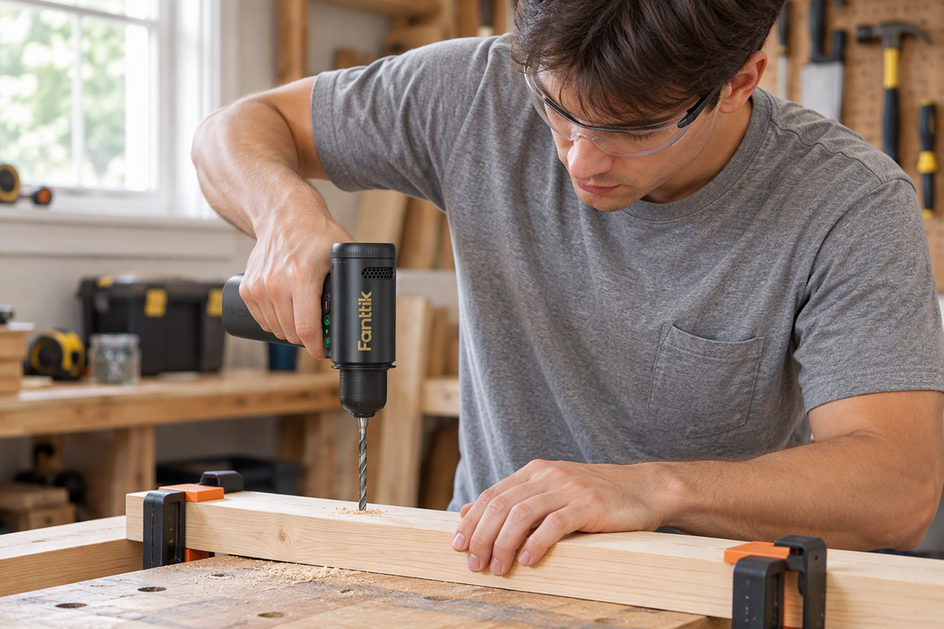
The Fanttik K2 Nano is a 3.7V precision power drill designed for crafts, PCB work, resin, clay, and small DIY projects — not a substitute for a full-size drill. It has two fixed speeds set with a high/low speed switch knob, charges over USB-C, and ships with 20 HSS bits. This page walks you through first charge, bit installation, speed selection, and the operating habits that protect both the tool and your project.
Quick Spec Sheet
| Specification | K2 Nano |
|---|---|
| Voltage | 3.7 V |
| Low speed (L mode) | 250 RPM — 0.6 N·m torque |
| High speed (H mode) | 1300 RPM — 0.15 N·m torque |
| Battery | 800 mAh, built-in |
| Charging port | USB Type-C |
| Included bits | 20 HSS drill bits, 0.6 mm – 3.2 mm |
| Speed control | Mechanical knob + color LED bar |
| Bit shank | 3.2 mm on all included bits |
Where to Find the Full Manual
The official user manual PDF is available directly from Fanttik:
- Fanttik K2 Nano User Manual (PDF) — downloadable from Fanttik's servers.
- A printed quick-start card ships inside the storage box that comes with the drill.
- For warranty and support contact, visit fanttik.com/pages/contact-us.
Step 1: Charge Before First Use
- Connect a USB-C cable from the port on the base of the drill to any 5V/1A or higher USB charger. No fast-charge adapter required.
- The charging indicator flashes green slowly while charging and turns solid green when the 800 mAh battery is full.
- Charge fully before your first session. Runtime reference on a full charge: in L mode a 3.2 mm bit drills approximately 64 holes through 1.6 mm aluminum; in H mode, approximately 42 holes.
Step 2: Insert a Bit
- Turn the On/Off knob to off before handling the chuck.
- Hold the knurled chuck collar at the front and turn counterclockwise to open the jaws.
- Insert the bit shank straight in. The included bits range from 0.6 mm to 3.2 mm in diameter and all share a 3.2 mm shank.
- Turn the collar clockwise until hand-tight and the bit no longer wobbles. Hand-tight is sufficient — do not use pliers or a chuck key.
- Give the bit a gentle tug to confirm it is seated before powering on.
To remove: hold the collar and turn counterclockwise until the jaws release.
Step 3: Select the Right Speed
Rotate the high/low speed switch knob to the mode you need (power is on the separate On/Off knob):
- L (250 RPM / 0.6 N·m): High-torque, low-speed — for hard or brittle materials: resin, PCB, shells, composite clay. Prevents cracking on entry.
- H (1300 RPM / 0.15 N·m): High-speed, lighter torque — for soft wood, thin soft metals, 3D-printed PLA. Produces smooth holes without tearing.
If the charging indicator flashes red rapidly during drilling, the battery is below 20% — recharge before continuing.
Step 4: Forward, Reverse, and Key Safety Rules
Press the Forward button to drill and the Reverse button to back the bit out if it starts to catch. Double-click the forward/reverse button for continuous rotation, and click it again to stop.
- Mark the drill point first. A nail indent stops the bit from skating on resin or smooth plastic at entry.
- Start in L mode on any unfamiliar material. You can switch up to H if the material is softer than expected; you cannot uncrack resin.
- Light, steady pressure only. Pushing hard stalls a 3.7V motor and overheats the bit before it cuts.
- Keep bits perpendicular. No drill-press stop means angled entry produces oval holes and snaps small bits.
- Wear safety glasses when drilling resin, metal, or brittle materials — fragments eject at speed.
- Do not expose to water. The USB-C port and motor housing are not water-resistant.
FAQ
Q: Can the K2 Nano replace a standard power drill?
A: No — it is a precision craft tool, not rated for structural drilling or bits above 3.2 mm.
Q: What charger should I use?
A: Any USB-C charger at 5V/1A or higher. Fast charging is not required.
Q: Which speed for resin?
A: L mode (250 RPM / 0.6 N·m) — high torque prevents shattering brittle resin on entry.
Q: How do I change a bit?
A: Turn the On/Off knob to off, loosen the quick-install chuck, insert the bit, then tighten the chuck fully by hand.
Q: The LED bar is flashing during drilling — what does that mean?
A: If the charging indicator flashes red rapidly, the battery is below 20%. Switch the drill off and recharge via USB-C.
Q: My bit keeps snapping — what am I doing wrong?
A: Most likely angled entry, too much downward pressure, or wrong speed mode for the material. For bits 1.5 mm and smaller always use L mode. See the K2 Nano troubleshooting guide for more.
Related Support
- Fanttik K2 Nano Troubleshooting Guide — bit breakage, motor stall, charging issues, and more.
- Fanttik K2 Nano product page — specs, photos, and ordering.
- Fanttik Support — warranty claims and contact.
Leave a comment
This site is protected by hCaptcha and the hCaptcha Privacy Policy and Terms of Service apply.