











































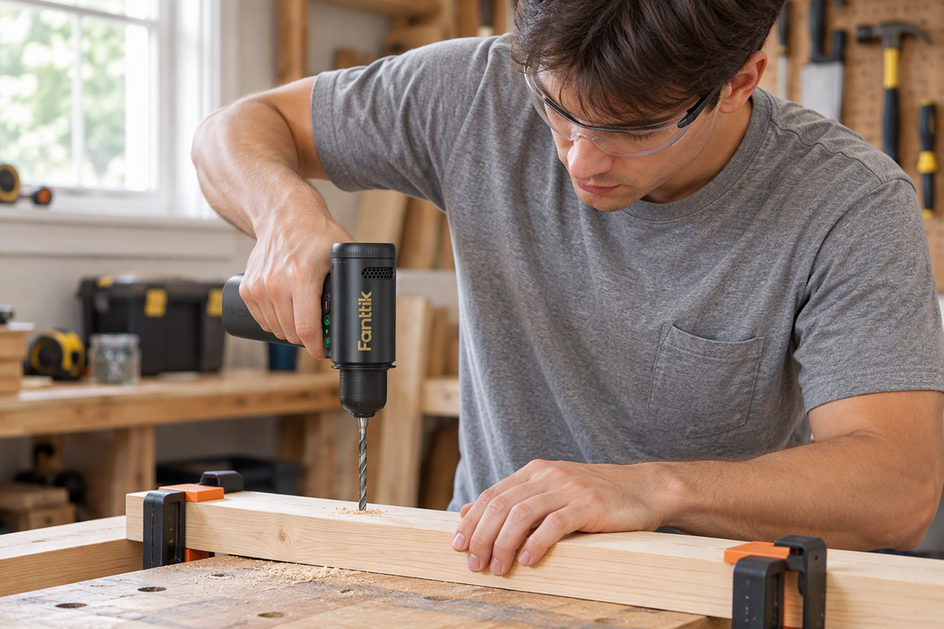
This is the central support page for the Fanttik K2 Nano 3.7V Precision Power Drill. The K2 Nano is a compact precision drill aimed at electronics assembly, PCB work, model building, and fine crafts — it is not a full-size home drill. Most support questions fall into four buckets: the chuck won't grip a bit, the drill spins but has no torque on small screws, the battery stops holding a charge, or users want to know which tasks it handles versus what belongs to its 7.4V sibling, the K2 Ultra.
Quick Spec Sheet
| Parameter | K2 Nano | K2 Ultra (sibling) |
|---|---|---|
| Voltage | 3.7V | 7.4V |
| Max torque | 0.6 N·m | 30 N·m |
| Speed | 250 RPM / 1300 RPM | Up to 1250 RPM (TapSwitch drill/driver modes) |
| Battery | 800mAh, integrated | 2500mAh, integrated |
| Charging | Type-C | Type-C |
| Motor | Not specified | Brushless |
| Included bits | 20 HSS bits | 10 drill bits + 10 screwdriver bits |
| Intended use | Precision crafts, PCB, electronics | Home DIY, light construction |
The most useful spec to understand is torque: 0.6 N·m is engineered for precision work, not for driving wood screws or masonry. Trying to use the K2 Nano as a general-purpose drill is the root cause of nearly every "no power" complaint.
Most Common Issues
- Bit slips or won't seat — the quick-install chuck must be tightened fully by hand. A partly tightened chuck leaves the bit loose and causes wobble or spin-out.
- Drill spins but won't drive the screw — 0.6 N·m is the design limit. Larger fasteners (M3 and above in hardwood, or self-tapping screws in metal) exceed the torque rating. Switch to the K2 Ultra for those jobs.
- Battery drains faster than expected — continuous high-speed (1300 RPM) use in dense material draws the 800mAh cell down quickly. Work in short bursts and charge between sessions.
- Drill only works on low speed (250 RPM) — make sure the high/low speed switch knob is rotated fully to the high-speed position.
- Bit wanders on startup — center-punch the work surface before drilling. At 1300 RPM the small bit tip can skate before it bites. A low-speed start (250 RPM) also helps.
- Not charging / charge indicator issues — see the charging section below. Most cases are a low-current USB port, not a faulty battery.
How the K2 Nano Works
The K2 Nano uses a 3.7V lithium cell in a slim 24 mm-diameter body built for controlled precision drilling rather than heavy loads.
The two speed modes trade speed for torque: low gives 250 RPM with up to 0.6 N·m, high gives 1300 RPM with up to 0.15 N·m. Low is for hard materials such as resin, composite clay, pearl and PCB; high is for softer materials such as small woodworking projects, plastics and soft metals. Change modes only when the bit is not under load.
The 0.6 N·m torque ceiling protects delicate work: if the drill stalls on a fastener, it is telling you the fastener is too large for this tool. Do not force it. The stall is a feature, not a fault.
Bit Chuck Setup
- Rotate the chuck collar counter-clockwise (from the front) until the jaws are open wide enough to accept the bit shank.
- Insert the bit straight in. Tilted insertion causes eccentric runout that looks like a bent bit but is actually a seating problem.
- Hold the drill body steady and twist the chuck collar firmly clockwise with your other hand until it stops. You should feel the jaws click down on the shank.
- Give the bit a light tug. If it pulls free, repeat step 3 with more torque on the collar.
- Every included bit, from 0.6 mm to 3.2 mm in diameter, has the same 3.2 mm shank, so the chuck clamps each one the same way.
Charging & Battery Care
- The K2 Nano uses a 3.7V 800mAh lithium cell charged via Type-C. Use a standard 5V USB-C cable — the low-capacity cell does not require a high-wattage PD brick, and a phone charger at 5V is sufficient.
- Charge time from empty is under 3 hours on a 5V/1A output. Using a weaker USB port (e.g., a laptop USB-A at 500mA) will extend charge time but will not damage the cell.
- Do not store the drill fully discharged. Lithium cells stored at zero charge for weeks lose capacity permanently. If you store it between projects, top it up to roughly 50–70% first.
- If the drill will not power on after storage, plug it in for 30 minutes before concluding the battery is faulty. Deep-discharged cells look dead but often recover with a slow initial charge.
FAQ
Q: Can the K2 Nano drive M3 or M4 screws into wood?
A: Occasionally into very soft balsa or foam, but it is not designed for that load. 0.6 N·m stalls quickly in denser woods. The K2 Ultra at 30 N·m is the right tool for standard wood-screw work.
Q: Which bits from the included 20-piece set work best for PCB drilling?
A: The smaller HSS twist drill bits (typically 0.8–2 mm in the set) are sized for PCB through-holes. Use the 250 RPM setting to prevent bit breakage and to keep the drill from skating across the board surface.
Q: My K2 Nano vibrates noticeably — is it broken?
A: Light vibration is normal, especially at 1300 RPM with a smaller bit. Significant wobble almost always means the bit is not fully seated in the chuck. Remove the bit, re-seat it and tighten the chuck fully by hand.
Q: How do I know which speed to use?
A: Low (250 RPM, up to 0.6 N·m) for hard materials such as resin, composite clay, pearl and PCB. High (1300 RPM, up to 0.15 N·m) for softer materials such as small woodworking projects, plastics and soft metals. As a rule: the harder the material, the lower the speed.
Q: The drill makes a grinding noise under load — what's wrong?
A: This usually means the load exceeds the torque rating and the motor is laboring. Stop immediately. The grinding noise indicates motor or gear strain. Reduce the load, reduce the speed, or switch to the K2 Ultra for that task.
Q: K2 Nano vs. K2 Ultra — how do I choose?
A: If your work involves electronics, models, jewelry, or PCBs — K2 Nano. If you are driving wood screws, hanging shelves, or working with metal fasteners — K2 Ultra. The torque gap between 0.6 N·m and 30 N·m is significant enough that the two drills do not overlap much in practical use.
Leave a comment
This site is protected by hCaptcha and the hCaptcha Privacy Policy and Terms of Service apply.