











































Download the official Fanttik F2 Master manual PDF, or follow the verified quick-start below. This page owns F2 Master manual and instruction searches. For replacement bits and attachments, use the F2 rotary tool accessories guide; if the tool will not start, use the not-turning-on checklist.
Where to Find the F2 Master Manual
Fanttik publishes the official user manual as a downloadable PDF — no registration required:
- PDF download: Fanttik F2 Master Manual PDF
- In the box: A printed quick-start card ships with the tool.
- Support hub: fanttik.com/pages/contact-us lists all product documentation.
For torque specs, certification details, or full accessory compatibility, use the PDF — the printed card covers only setup and safety warnings.
Quick Spec Sheet
| Parameter | Fanttik F2 Master |
|---|---|
| Motor type | Brushless |
| Max speed | 25,000 RPM |
| Noise level | 32 dB (whisper-quiet) |
| Collet size | 3/32 in (2.3 mm) |
| Accessories included | 35 |
| Charging | USB-C fast charge |
| Available colors | Gray, Red, Orange, Blue |
| Price | $79.99 |
Quick-Start Steps
- Charge before first use. Plug the included USB-C cable into the F2 Master's charging port and connect to a USB-C wall brick. The LED indicator will illuminate during charging and change state when full. Do not run the tool on a critically low battery — the motor will not reach full speed.
- Check the collet size. The F2 Master uses a 3/32 in (2.3 mm) precision-machined collet. Make sure every bit you install has a 3/32 in shank. Using a shank that doesn't match can damage the collet or the accessory.
- Insert a bit. Hold the spindle-lock button (or use the supplied wrench, depending on your kit variant) to prevent the shaft from turning. Thread the collet nut finger-tight onto the bit, then snug it with the wrench — firm, not forced. A loose collet nut causes bit wobble and vibration.
- Start at the lowest speed setting. Confirm the bit runs true before ramping up. If the tip wobbles, power off, re-seat the bit, and retighten.
- Step up to working speed. Softer materials (plastic, foam, balsa) cut well at lower RPM; hard materials (metal, stone, hardwood) need higher RPM for efficient removal.
Speed Settings
The F2 Master has 5 speed settings, up to 25,000 RPM. Turn the knob switch on, then press the speed button to step through the settings; the LED indicator shows the current speed. General guidance:
- Low: Polishing, light engraving on soft materials, detail carving. Lower speed reduces heat build-up on delicate workpieces.
- Medium: Sanding, carving on wood, shaping plastic or resin, surface prep on metal.
- High (up to 25,000 RPM): Cutting, grinding, and aggressive removal on hardwood, glass, or metal. The 32 dB brushless motor stays quiet even at full speed.
Start low and work up. Overheating a soft material is harder to reverse than running a second pass at higher speed.
Changing Bits
The 3/32 in (2.3 mm) collet accepts all 35 included accessories and any standard third-party bit with the same shank size.
- Power off and let the bit stop completely.
- Hold the spindle-lock button to immobilize the shaft.
- Loosen the collet nut counterclockwise until the bit slides out freely.
- Insert the new bit until the shank is fully seated — no shank gap visible between collet and nut.
- Tighten clockwise until snug. Do not overtighten; the precision-machined collet can crack if forced.
Charging & Safety
Charge via USB-C before first use. Use a power-delivery cable for a full charge cycle; a data-only cable will trickle or not charge at all. Do not operate the tool while it is plugged in.
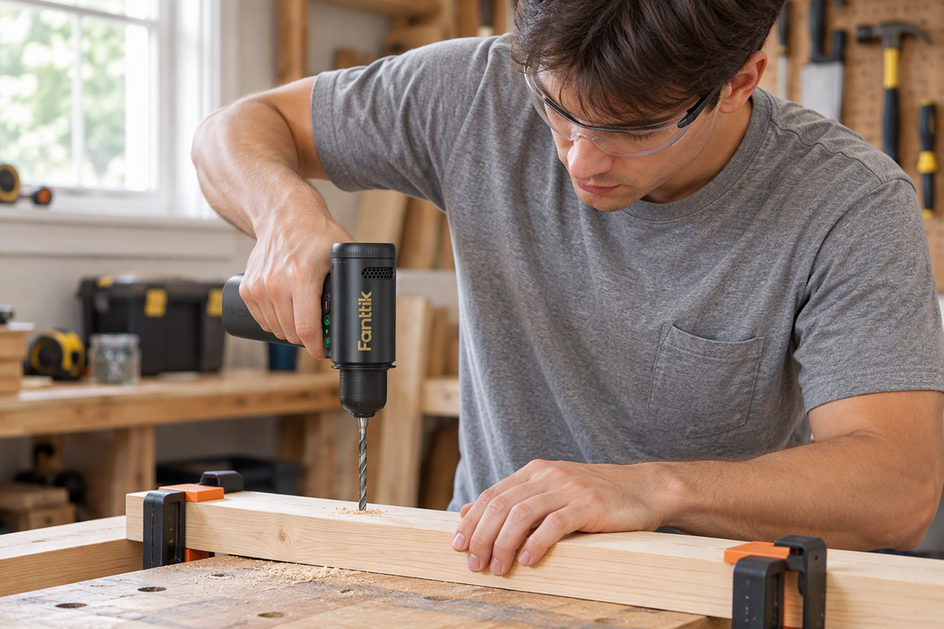
- Wear safety glasses — even at 32 dB, the accessory ejects debris at high speed.
- Clamp small workpieces; never hold them freehand against a spinning bit.
- Never exceed the RPM rating printed on abrasive discs or cut-off wheels — a disc rated for 15,000 RPM will fail at 25,000 RPM.
- Keep ventilation slots clear to prevent heat build-up in the motor.
FAQ
Q: Where do I download the F2 Master manual PDF?
A: Directly from Fanttik's servers. No sign-up required.
Q: What bit shank size fits the F2 Master?
A: 3/32 in (2.3 mm). Confirm shank diameter on any third-party bits before buying.
Q: Can I run the tool while charging?
A: No. Charge fully, unplug, then operate.
Q: The bit wobbles at speed — what's wrong?
A: The collet nut is loose or the shank isn't fully seated. Power off, re-insert until bottomed, and retighten snugly.
Q: My F2 Master isn't reaching full speed.
A: Charge the battery to full first — a low battery caps motor output. For other issues, see the F2 Master troubleshooting guide.
Related Support
- Fanttik F2 Master Troubleshooting Guide — full issue index for the F2 Master.
- Fanttik F2 Master product page — specifications, accessory list, and purchasing.
- Fanttik Support Center — warranty, contact, and all product documentation.
Leave a comment
This site is protected by hCaptcha and the hCaptcha Privacy Policy and Terms of Service apply.