












































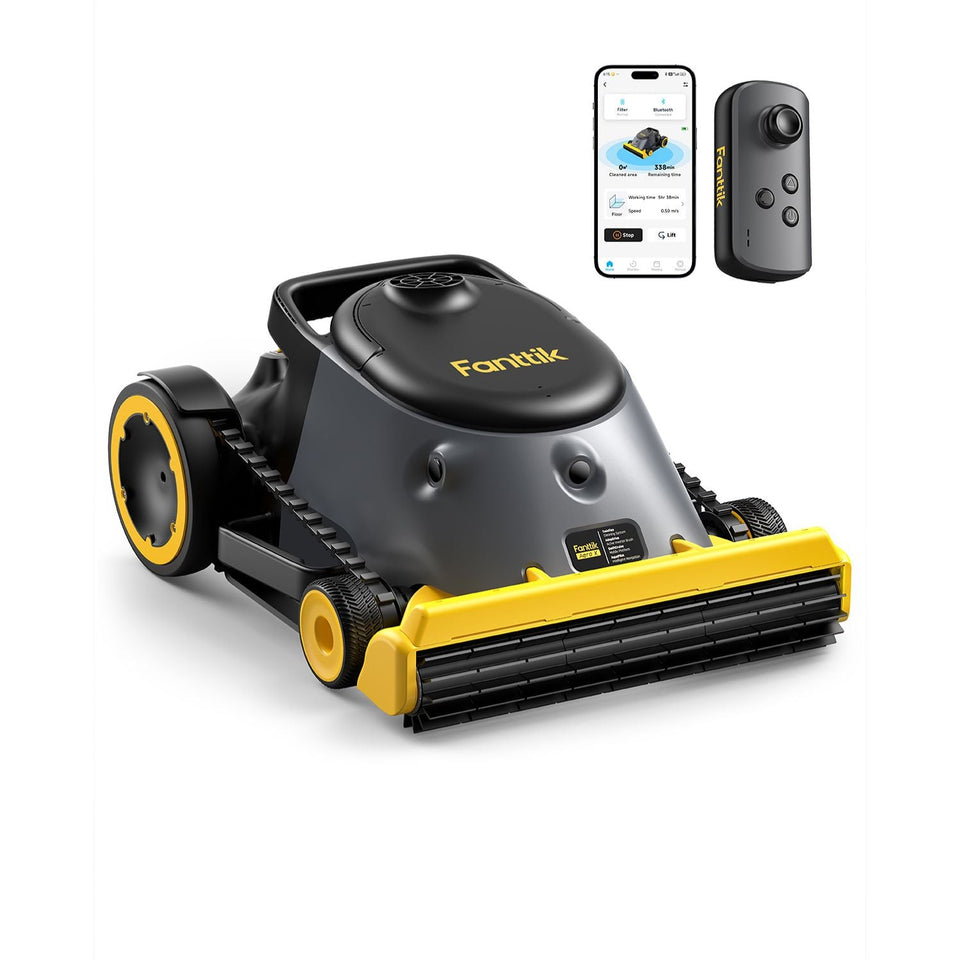
If your Fanttik Aero X Cordless Robotic Pool Cleaner has this symptom — the robot powers on but stays in place, floats, moves only briefly, or repeatedly stops — begin with the reversible checks below. The aim is to separate charge, setup, attachment, debris, and protection-state problems without opening the product or bypassing a safety circuit.
Quick Checks First
- Remove the cleaner from the pool and switch it off before touching the brush or intake.
- Drain trapped water and inspect the intake, brush, and wheel or track areas for debris.
- Charge in a dry location and confirm the pool is within the conditions stated for the model.
Step-by-Step Troubleshooting
- Lower the cleaner level into the water and allow trapped air to escape. A floating robot cannot establish traction on the pool surface.
- With power off, remove leaves, hair, string, and small stones from accessible intake and brush areas.
- Clean the filter so restricted flow is not reducing movement or causing an early stop.
- Place the cleaner on a clear, level section away from steps, drains, toys, and cords, then restart it according to the model controls.
- If one side never drives, the brush will not turn after debris is removed, or the unit repeatedly stops in open water, document the behavior and contact support.
What the Result Usually Means
| Result | Likely area | Safe response |
|---|---|---|
| Works after cooling or clearing debris | Temporary protection or mechanical load | Resume gently and change the working condition that caused the load |
| Works only with one cable, head, bit, or accessory | Accessory or connection | Retire the faulty item and confirm an exact-model replacement |
| No response under any no-load test | Charge system, control, or internal fault | Stop repeated testing and contact support |
| Heat, odor, swelling, grinding, or liquid ingress | Potential safety fault | Switch off, isolate the product, and do not recharge or operate it |
When to Stop
Never enter the pool to retrieve a running cleaner. Do not open the sealed battery or drive housing, and never charge the unit while wet. A troubleshooting guide cannot confirm an internal electrical fault remotely. Continuing to cycle a damaged battery or stalled drive can turn a serviceable problem into a safety issue.
Prepare a Useful Support Request
Before contacting Fanttik support, record the exact model name, order details, what happened immediately before the symptom, each charging source or accessory tested, and whether the problem occurs with no load. A short video can show indicator behavior or sound without requiring you to disassemble anything.
Classify How the Cleaner Is Failing to Move
A robot that floats, one that settles but stays still, and one that moves briefly before stopping have different likely causes. Floating points first to trapped air or launch technique. Settling without movement calls for a charge, intake, brush, and drive-area check. A short run followed by stopping may involve debris load, a full filter, a difficult obstacle, or a protection state.
Check the water path
Switch the Aero X off and retrieve it before inspection. Empty the filter and remove leaves, hair, string, and small stones from accessible intake and brush areas. Reduced water flow can change both cleaning performance and movement. Never reach into a moving brush or test the drive while holding the robot.
Rule out the pool environment
Restart on a clear, level section away from steps, ladders, toys, cords, and a prominent drain cover. Observe from outside the water. If it moves normally there but stops at one feature, document the location and pool geometry. That information is more useful to support than repeatedly restarting the robot in the same trap.
Signs of a drive-side fault
If one side never moves, the brush remains locked after debris is removed, or grinding continues in open water, stop the cycle. Do not open the sealed motor or battery housing. Rinse and dry the exterior, photograph the underside and any obstruction, and include a short above-water video of the accessible parts when contacting support.
FAQ
Should I keep pressing the control to see if it recovers?
No. Repeated cycling can add heat or worsen a jam. Complete one controlled no-load test after the checks, then stop if the symptom remains.
Can I use a charger or accessory from another Fanttik model?
Do not assume compatibility from the brand name. Confirm the exact model and connector or attachment on the official product page or with support.
Does a reset require opening the housing?
No user reset in this guide requires opening the product. If normal power-off, cooling, cleaning, and charging checks do not work, request service.
What if the product was wet or dropped?
Do not charge or operate it until support has assessed the damage. External drying does not prove that the internal battery or electronics are safe.
Leave a comment
This site is protected by hCaptcha and the hCaptcha Privacy Policy and Terms of Service apply.