









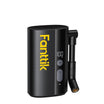



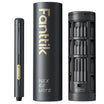
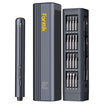
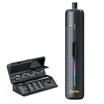
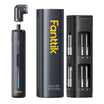
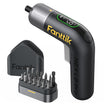






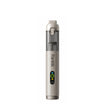


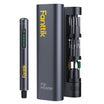
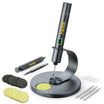


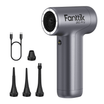
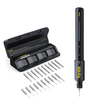
MacBook repair — whether you're swapping a battery, replacing a keyboard, or opening up an M-series logic board — demands both pentalobe P5 and Torx T5/T8 bits, plus precision torque control for the tiny internal screws. Apple has been aggressively using custom fasteners since the Retina era, and the combination of bit variety and torque discipline is what separates "works" from "permanent stripped screw." Here's how the Fanttik E1 MAX handles MacBook work.
The Quick Answer
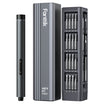
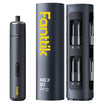
Yes — the Fanttik E1 MAX is a genuine MacBook-repair tool. It delivers 0.05 Nm low torque, 0.2 Nm high torque, and a 3 Nm manual seating mode, with 50 magnetic bits that cover pentalobe P5 (MacBook bottom case), Torx T5 (internal), Torx T8, and Phillips #00/000 for logic-board work.
Why This Question Matters
Apple's pentalobe P5 screws (larger than iPhone P2) hold MacBook bottom cases. Inside, you'll find Torx T5 for SSD mounts on older MacBooks, and Torx T8 on various brackets. The battery pull-tabs on M1/M2/M3 MacBooks need specific care — the adhesive is unforgiving, and torque-exceeding a nearby screw can puncture a battery cell. Precision torque control is a safety feature, not a convenience.
The Specs You Need to Know
| MacBook task | Screw / bit | Torque needed | Fanttik E1 MAX setting |
|---|---|---|---|
| Bottom case removal | Pentalobe P5 | 0.2-0.4 Nm | High torque (0.2 Nm) or manual |
| Battery connector cover | Phillips #00 | 0.1 Nm | Low torque |
| SSD / storage bracket | Torx T5 | 0.15 Nm | High torque |
| Fan mounting | Torx T5 / T8 | 0.15-0.25 Nm | High torque |
| Logic board standoffs | Phillips #000 | 0.08 Nm | Low torque |
| Keyboard/trackpad screws (MBA/MBP) | Tri-wing Y1 | 0.1 Nm | Low torque |
| Final bottom-case seating | Pentalobe P5 | 0.3-0.4 Nm | Manual mode |
Step-by-Step: MacBook Bottom Case Opening
- Power down and disconnect the MacBook from any peripherals. If battery replacement is planned, don't skip this.
- Select pentalobe P5 bit. The E1 MAX's magnetic retention holds it firmly.
- Set to high torque (0.2 Nm). The bottom-case P5 screws are short and seated in soft aluminum — high torque gives enough drive without stripping.
- Remove all bottom-case screws in a circular pattern from the edges inward. Keep them on a magnetic tray — M1/M2 MacBooks have 3-4 different screw lengths in the bottom case.
- For reassembly, switch to manual mode (3 Nm cap) and reseat each screw hand-tight. Avoid power-driving on reassembly — torque variation between holes can damage the aluminum threads.
What to Watch Out For
- The battery pull-tabs on M1/M2/M3 MacBooks require a specific alcohol-release technique. Over-torqueing a screw near the battery is how you puncture a cell. Low-torque discipline matters.
- MacBook Pro 14 and 16 models have screws under the rubber feet on some pre-M2 versions. Always photograph the bottom before disassembly.
- Different MacBook models use slightly different Torx sizes internally. The E1 MAX bit set covers T4, T5, T6, and T8; double-check the model-specific iFixit guide before starting.
FAQ
Q: Does the Fanttik E1 MAX come with pentalobe P5?
A: Yes. The E1 MAX ships with 50 magnetic bits including pentalobe P2 and P5, Torx T4-T10, Phillips #000/00/0, and several tri-wing sizes.
Q: Is the E1 MAX strong enough for MacBook bottom case screws?
A: Yes. Bottom case P5 screws need 0.2-0.4 Nm, which is exactly the high-torque setting. For stubborn seated screws, the 3 Nm manual mode handles the assembly side.
Q: Can the E1 MAX open an M1 MacBook Air battery?
A: Yes, it can handle all the screws involved. But the battery adhesive removal is a separate skill — have proper adhesive strips or isopropyl ready before you start.
Verdict
For MacBook repair — bottom case opening, SSD swaps, battery replacements, keyboard replacements — the Fanttik E1 MAX is the right electric precision screwdriver. Its torque range matches both the delicate (0.05 Nm) and moderate (0.2 Nm) settings MacBook work demands, and the 50-bit set covers pentalobe P5, Torx, and Phillips without a second driver.
Related reading: Best screwdriver for iPhone repair · Best screwdriver for iPad repair · Best precision screwdriver for eyeglasses
Leave a comment
This site is protected by hCaptcha and the hCaptcha Privacy Policy and Terms of Service apply.