





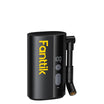
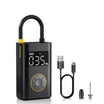
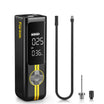
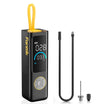
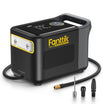
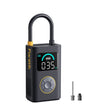
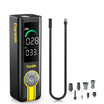
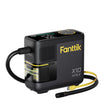
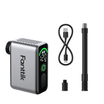

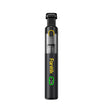
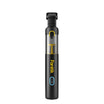
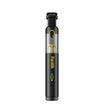
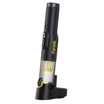
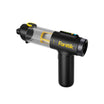
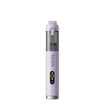
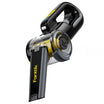
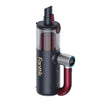
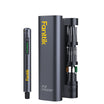
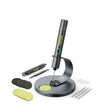
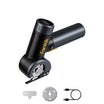
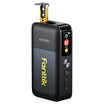
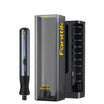
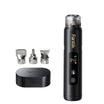


Yes, but only when two sets of instructions back you up: the care guidance for your exact laptop and the manual for your exact electric air duster. The laptop-maker keyboard guides we found are written for canned compressed air, not electric dusters. So they don't approve one, and you shouldn't borrow their distances or angles.
If both manuals cover the job, power the laptop down, use only the nozzle and setting your duster manual lists, and stop when debris moves deeper instead of coming out. If either manual is silent, skip the air and use an approach that doesn't need it.
Can You Use an Electric Air Duster on a Laptop Keyboard?
There is no universal yes. Laptop keyboard cleaning instructions from major manufacturers specify canned air. They don't name electric dusters, so permission has to come from your own laptop and duster documents.

Apple's MacBook cleaning instructions apply to MacBook (2015 and later) and MacBook Pro (2016 and later) models that have an unresponsive key or a key that feels different from the others. Those steps use a can of compressed air with its included straw. They keep the straw tip about a half-inch from the keys, tilt the laptop to a 75-degree angle, and spray in left-to-right passes. Every one of those details belongs to a can-and-straw setup. None of them tells you how close or how hard an electric duster should blow.
Lenovo's keyboard-cleaning guidance says compressed air from a can can remove crumbs and dust from beneath the keys, and it says not to use an air compressor. An electric duster isn't a can, and it isn't a shop compressor either. Lenovo's wording doesn't cover it either way, so don't read it as a green light or a ban.
The practical takeaway: look up your laptop model's own care page and your duster's manual. If both cover cleaning your laptop's external keyboard, you have a basis to go ahead. If either one is silent, you don't.
A Cautious Method—Only If Both Manuals Support It
This order keeps the job controlled. The airflow details come from your manuals, not from this guide.
- Shut the laptop down fully. Powering off prevents stray keypresses while air or debris hits the keys. Unplug the charger too.
- Set up the duster from its manual. Fit the nozzle and choose the speed setting your duster manual lists for keyboards or electronics. If you use a Fanttik duster, find your model's instructions in our Fanttik user manual hub. Write down any distance or movement limit the manual gives. Don't fill in a missing number yourself.
- Wear eye protection and aim away from your face. Dust blown out of key gaps can bounce back toward you.
- Blow only within the documented limits. Keep to the setting you chose. Watch where the dust goes. You want it lifting out of the gaps and leaving the keyboard, not vanishing deeper under the keycaps.
- Check the result. With the laptop still off, look across the key rows. Then power it on and press each key you cleaned. A key that feels like the others and responds normally means you're done.

If your manuals don't describe how to aim the airflow so debris clears outward, don't improvise an angle or a higher setting. That's where loose crumbs can get packed under keys.
When to Stop and What to Do Next
Stop as soon as the job stops going the right way. More air is not the fix.
- Either manual doesn't cover this use: don't start. Wipe keytops by hand instead. Lenovo describes a lint-free cloth lightly dampened with isopropyl alcohol, wrung out so no liquid drips between keys.
- Debris moves under keys or into the laptop: turn the duster off. Don't raise the speed or keep repeating passes.
- A key still sticks or feels gritty: leave it alone and go to your laptop maker's model-specific cleaning or service guidance. For the MacBook models above, Apple says keys still unresponsive after its steps should go to an Apple Retail Store or Apple Authorized Service Provider.
FAQs
Is an electric air duster the same as an air compressor?
No. A shop air compressor is a separate tool, and Lenovo specifically says not to use one on its keyboards. That warning doesn't automatically extend to an electric duster, but it also doesn't approve one. Judge the duster on its own manual.
Can I use Apple's half-inch distance with an electric duster?
No. Apple's half-inch spacing, 75-degree tilt, and left-to-right passes are tied to a can of compressed air and its straw. An electric duster puts out air differently, so its spacing has to come from its own manual.
Can I spray cleaner on the keyboard after dusting?
Not directly. Lenovo says never to spray or pour liquid cleaner on the keyboard. Put a small amount of isopropyl alcohol on a lint-free cloth, squeeze out the excess, wipe the keytops, and let them dry.
Can I use my duster while it's charging?
For Fanttik air dusters, no. Our manual says to charge fully, unplug, and then use the tool. For other brands, follow that duster's own charging instructions.
Continue reading
 Old Brick Patio with Worn Mortar: Is Pressure Washing Too Aggressive?
Find out which joint and brick-face conditions rule out a pressure washer, why max PSI is not a...
 Measuring an Uneven Window Opening for Blinds: Take More Than One Reading
A step-by-step way to label width and height readings across a crooked window frame and turn them into...

Leave a comment
This site is protected by hCaptcha and the hCaptcha Privacy Policy and Terms of Service apply.