








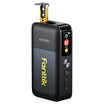
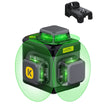

To measure an uneven window opening for blinds, take several labeled readings at the positions your blind maker asks for. Don't trust a single width. Keep the laser meter set up the same way for every reading of one dimension, then use the maker's own rules to choose which number to order.

Averaging the readings or picking the one in the middle can leave you with a blind that binds or leaves gaps.
One more thing before you order: some makers name a specific tool for final measurements. SelectBlinds, for example, tells you to use a steel tape. If you follow that maker, use the laser readings to see how the frame varies and take your final numbers with the steel tape.
How to Take Comparable Laser Readings
Plan your readings around the blind and mount type you picked, and label every number by where you took it. Readings from different spots only tell you something if each one measures the same kind of line.
- Pick the product and mount first. Inside mount means the blind sits inside the frame. Outside mount means it goes on the trim or wall. The mount changes where you measure, so open that product's measuring page before you start.
- Use the maker's positions as your plan. SelectBlinds' mini-blind instructions list inside-mount reading positions: width at the top, middle, and bottom, and height at the left, center, and right. Other products may ask for different spots, so treat this as one example and not a rule for every window.
- Lock in the meter setup for each dimension. If your meter lets you pick a reference point (front or back edge) or a measuring mode, choose one before the first shot and leave it alone. Brace the meter against the same edge each time and keep it square to the far side. If you change the angle or the reference point, you're measuring a different line.
- Write each reading next to its label. A simple log works well: W-top, W-middle, W-bottom, then H-left, H-center, H-right. Compare widths only with widths and heights only with heights.
- Keep the whole set. The gap between your largest and smallest reading shows how uneven the opening is. Don't boil the set down to one representative number or an average.
- Take final numbers with the tool the maker names. SelectBlinds' steel-tape instruction says to use a steel tape, not a cloth or flexible tape. That guide doesn't list a laser meter as a substitute. So when you order from SelectBlinds, recheck each labeled position with a steel tape and order from those numbers.

Not sure which tool fits which part of the job? Our guide on choosing a laser meter or tape measure covers where each one works best. For a window, the laser is handy for quickly checking whether the frame varies. The maker's instructions decide which tool you use for the numbers you actually order.
How to Turn the Readings Into Order Dimensions
Choose the order size with the rule for your exact product and mount, not with a general rule of thumb. In SelectBlinds' mini-blind instructions, the inside-mount and outside-mount rules pick different readings, and the two dimensions round in opposite directions.
For inside mounts, the inside-mount width and height order rules have you order the smallest width and the largest height. For outside mounts, the outside-mount selection and coverage rules use the largest readings and then add coverage.
| Mount and dimension | Reading to use | Maker-directed adjustment |
|---|---|---|
| Inside width | Smallest of 3 | Round 1/16" or 1/32" down to nearest 1/8" |
| Inside height | Largest of 3 | Round 1/16" or 1/32" up to nearest 1/8" |
| Outside width | Largest of 3 | Add at least 2" per side (4" total) |
| Outside height | Largest of 3 | Add at least 2" top and 2" bottom (4" total) |
Here is why the inside-mount rule works the way it does. The narrowest point of the frame limits how wide a blind can be and still fit. The tallest point decides how much drop you need to cover the glass. The guide's examples show the rounding: a 24 9/16" width becomes 24 1/2", and a 24 9/16" height becomes 24 5/8".
The outside-mount additions are the guide's stated minimums. The guide gives a 72" opening as an example and recommends ordering 76". It also asks for about 2 1/2" of flat mounting surface. Don't subtract anything yourself. SelectBlinds says it applies factory deductions at checkout, and those deductions and minimum depth requirements can change with the options you choose. For an inside mount, check the depth requirement on the product's specifications before you commit. If the frame is too shallow, the maker's general guide points to an outside mount instead.
If you're buying from a different maker, run your same labeled readings through that maker's rules. The selection, rounding, and coverage numbers above belong only to this SelectBlinds mini-blind example.
FAQs
Should I average my width readings?
No. Averages don't show up in either SelectBlinds rule above. An inside mount uses the smallest width because the blind has to clear the tightest spot. An average could land wider than that spot.
How do I know if my window opening is uneven?
Compare readings of the same dimension taken with the same meter setup. If the top, middle, and bottom widths don't match, the opening varies. The maker's rule then tells you which reading counts.
Does a longer laser range mean more accurate window readings?
No. Range and accuracy are separate specs. Range is how far the meter can measure. Accuracy is how close each reading is to the true distance. For a window, a consistent setup and the maker's required tool matter more than maximum range.
Should I measure every window, even ones that look identical?
Yes. SelectBlinds' general guide says to measure each window separately and write down width first, then height. Windows that look the same can still differ in size.
Continue reading
 Using an Electric Air Duster on a Laptop Keyboard Without Forcing Debris Inside
Laptop makers like Apple and Lenovo write keyboard steps for canned air. Here's how to decide if an...
 Can Electric Scissors Cut Cardboard? Check Thickness and Tool Limits
Find out whether electric scissors handle corrugated board. Check your model's documented material limits, measure stock, and handle...
Leave a comment
This site is protected by hCaptcha and the hCaptcha Privacy Policy and Terms of Service apply.