












































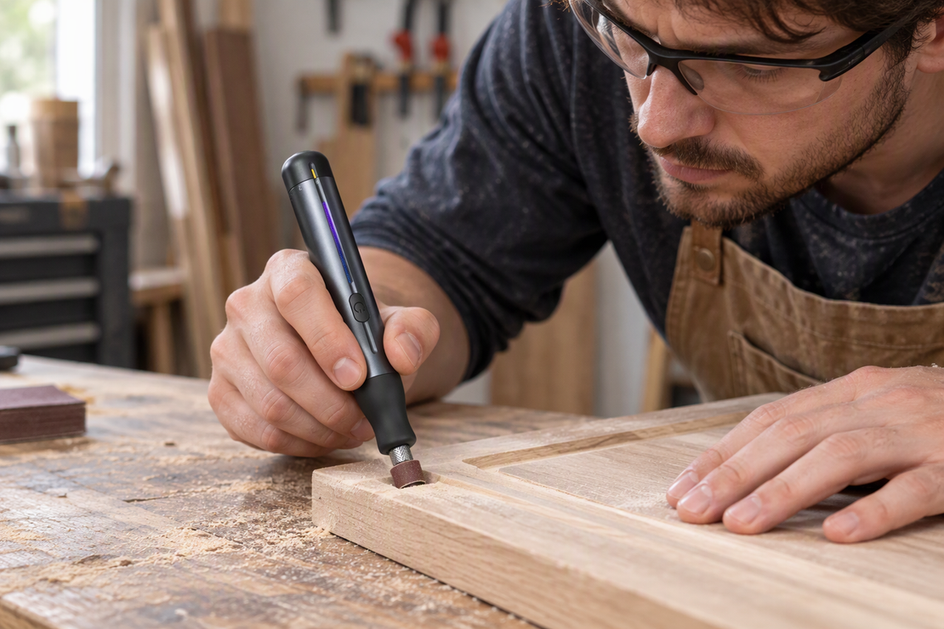
A consistent engraved line starts before the tool touches the surface. Clamp or firmly hold the workpiece, mark a route you can see clearly, and rehearse the movement from start to finish. Then guide the bit along the mark with light pressure, and don't press harder to steer it.
When the line starts to wander, more force is the wrong fix. Stop and check your setup instead. The sections below follow that order: preparation, a rehearsed pass, then what to check when the line drifts.
Prepare the Workpiece, Mark, and Verify the Bit
Most of what makes rotary tool engraving consistent is settled before you power up. Work through these steps in order and only move on when each one checks out.
- Lock the workpiece in place. USU's workholding instruction for its Dremel says the workpiece must be firmly held or clamped. To check it, push the piece gently with your free hand. If it shifts, slides, or rocks, re-clamp it before you go on.
- Make the route easy to see. Draw the line where you'll be able to see it from your normal working position, without leaning your head over the tool. If your hand or the tool body will cover the mark partway along, plan to approach from the other side or move the clamp.
- Confirm the bit suits both the tool and the material. A Cuyahoga Community College Dremel procedure calls for an appropriate bit or burr for engraving. It doesn't name a pairing for each material, so check the documentation for your exact rotary tool and accessory. Don't power the tool until that documentation confirms the bit fits your tool and suits the workpiece material. Speed depends on material and accessory as well, and our rotary-tool speed guide walks through that choice within your tool's limits.
- Practice on scrap when the project is wood. For wood engraving, Makera's wood preparation advice is to start with flat, dry, fine-grained wood, secure it firmly, and test the tool or settings on scrap first. Clamp the scrap piece the same way you'll clamp the project piece.
- Put on eye protection. The same college procedure says to wear safety glasses when using the Dremel.
Rehearse and Guide a Controlled Pass Along the Marked Line
Rehearse the route with the tool off, then make the real pass at the same steady pace with only light guidance. The dry run shows you where your hand, the cord, or the clamp will get in the way while there's still nothing to ruin.

- Mark the start and finish. Decide exactly where the bit will enter and leave the line. A clear endpoint keeps you from stopping short or running past it.
- Do a dry run with the tool switched off. Hold the tool the way you'll hold it when cutting and trace the route just above the mark. Watch for any point where you have to shift your grip, stretch, or lose sight of the line.
- Fix what the rehearsal reveals. If you had to reach or regrip, reposition the workpiece or yourself and rehearse again. Repeat until you can follow the whole route in one smooth movement while seeing the mark the entire time.
- Make the pass with light guidance. Power up and let the bit meet the surface at your marked start. USU's light-guidance advice is to guide the tool with very little pressure. Your hand steers along the mark while the spinning bit does the cutting. Keep the same pace you used in the dry run.
- Inspect the result before doing anything else. Stop at the marked finish, lift the bit clear, and switch off. Look along the line: it should follow the mark from start to finish without jogs. If it does, you've confirmed the setup for this material and can repeat the same routine on the project piece.

This rehearsal is a practical habit rather than a fixed standard. It doesn't replace your tool's instructions for speed, depth, or accessory use.
What to Check When the Line Wanders
If the line drifts off the mark or turns uneven, stop the pass. Pushing harder to force the bit back onto the line works against the very-light-pressure guidance above. Lift the bit away, switch off, and go through these checks before cutting again:
- Workpiece movement: Push the piece gently again. If it moves at all, re-clamp it, since the USU procedure requires the workpiece to be firmly held or clamped.
- Visibility of the mark: If dust or your own hand hid the line where the drift began, clear the surface or change your approach angle so the mark stays in view.
- Grip and pressure: If you were bearing down to keep the bit on course, ease off. Return to light guidance and let the tool cut at its own pace.
- Bit and material match: If the bit seems to skip, grab, or skate, confirm again that the accessory suits this material and your tool before you continue.
- The route itself: If the drift happened where your rehearsal felt awkward, reposition and repeat the dry run over the rest of the line.
Once each check is clear, rehearse the remaining route with the tool off, then resume from where the line is still on the mark.
FAQs
Will a higher speed setting make the line straighter?
Speed isn't a steering tool. It should match the material and accessory within your tool's limits. A wandering line points back to workholding, visibility, grip, and pressure first, so check those before changing speed.
Can the same technique work on wood, metal, and plastic?
The handling habits carry across: secure the piece, keep the mark visible, rehearse, and guide lightly. The bit and speed choices don't carry across, though. Confirm the accessory and setting for each new material before you start rotary tool engraving on it.
What if the bit itself looks wobbly while spinning?
A bit that wobbles won't track a line cleanly no matter how steady your hand is. Stop using the tool and check how the accessory is seated in the collet. If you own an F2 Master, our F2 Master troubleshooting guide covers collet wobble step by step.
Do I need to rehearse every line on a project?
Rehearse any line where your grip, reach, or view of the mark changes from the last one. A repeated line in the same position and on the same material can use the routine you already proved out. A new angle or a longer reach calls for a fresh dry run.
Continue reading
 Why a Drill Bit Wanders on Smooth Surfaces—and How to Keep It on Mark
How to keep a drill on its mark: the pre-cut flex that moves a bit, a center-punch sequence...
Why a Drill Bit Wanders on Smooth Surfaces—and How to Keep It on Mark
How to keep a drill on its mark: the pre-cut flex that moves a bit, a center-punch sequence...
 How to Choose a Soldering Iron Tip for the Joint
A joint-first method for picking a soldering tip: balance contact area against access, adapt shape to crowded or...
How to Choose a Soldering Iron Tip for the Joint
A joint-first method for picking a soldering tip: balance contact area against access, adapt shape to crowded or...
Leave a comment
This site is protected by hCaptcha and the hCaptcha Privacy Policy and Terms of Service apply.