




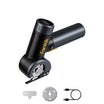
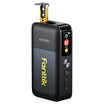

If your portable jump starter beeps, stop and don't try the connection again yet. Write down when the beep happened and what the screen or indicator lights showed. Then look up what that signal means for your exact model.
A beep alone doesn't tell you what's wrong. Don't assume it means the same thing on your unit as on a friend's jump starter or a chart you found online. What it means, how to fix it, and whether you can try again all come from your model's own instructions.
What Should You Do When a Jump Starter Beeps?
Pause first, and leave the setup as it is until you know what the warning means. Don't press the start or boost button again, and don't keep moving clamps around just to see if the sound stops. Each extra attempt adds another change to the situation. That makes it harder to match what happened to the manual, and it may repeat whatever set off the warning.

While you're paused, gather three details. They're the clues the manual will ask you to match:
- Timing: Did the beep start when you turned the unit on, attached the clamps, pressed a button, tried to crank the engine, or after the engine started?
- Pattern: Was it one beep, a repeating series, or a steady tone?
- What else changed: Note any text, icon, or error code on the screen, plus the color of any indicator light and whether it was steady or flashing.
Take a photo of the display if you can. Some screens change or go dark after a few seconds, and a photo keeps the details you need. Don't try to guess the cause from these notes yet. They're for matching, not for diagnosis.
How to Match the Beep to Your Exact Model's Instructions
To read jump starter beeping correctly, you need instructions written for the exact unit in your hand. Work through these steps in order:
- Confirm the exact model. Use the full model name and any version or variant identifier you can find on the device, its box, or your purchase record. Similar names in the same product line can still have different indicators and different instructions.
- Get the official instructions for that model. Use the printed manual that came with the unit, or the manufacturer's own support page or downloadable manual for that model. Retailer listings, forum posts, and guides for other brands can't tell you what your unit's warning means.
- Find the section that covers warnings. Manuals organize this differently. Look for troubleshooting, indicator, display, error, or safety sections. Not every manual includes a beep-code table, so the information you need may sit inside step-by-step jump-start instructions.
- Match the timing first. Compare the stage where your beep happened with the stage the manual describes. A warning listed for power-on is not the same entry as one listed for cranking.
- Match the indicators next. Check that the screen text, icon, code, or light behavior you recorded matches the entry. If the sound matches but the display doesn't, you haven't found the right entry.
Only treat a warning as identified when the model, the timing, and the indicators all line up with one entry. If you're between two possible entries, or nothing fits, the warning is still unidentified.

If you own one of our jump starters, start with documents for that specific model. Our T8 MAX product page links to its Product Manual. T8 APEX owners can use our T8 APEX troubleshooting guide, which collects that model's spec sheet, charger details, maintenance notes, and FAQs. Instructions for one of our models don't carry over to another, so use the one that matches your unit.
When Can You Try Again, and When Should You Stop?
Try again only when your model's instructions name the warning, you've completed the remedy they give, and they say another attempt is okay. All three must come from the manual, not from guesswork.
When you find a matching entry, follow its remedy exactly as written. That includes any steps the manual says to do first and any order it gives. Then look for the result the manual tells you to expect, such as a changed indicator or a cleared message. A remedy listed in the manual doesn't automatically mean you can retry right away. Check whether the instructions say you can try again, and under what conditions.
Don't assume the problem is fixed just because the sound stopped or you changed a connection. If the manual describes a specific sign that the warning has cleared, wait until you see that sign.
Stop using the jump-start function if either of these is true:
- The manual has no entry that matches your model, timing, and indicators.
- You followed the matching remedy, and the warning came back or didn't clear.
At that point, get guidance for your specific model from the manufacturer before you try again. Never bypass a protection feature. Don't use an override, force-start, or manual mode to get past a warning nobody has explained. Those features exist for specific situations described in the model's instructions, not for silencing an alarm. If you have one of our units, you can reach our customer support team by email or phone with the model name and the details you recorded. If you still need the vehicle started in the meantime, use another option, such as roadside assistance, instead of pushing the jump starter past an unresolved warning.
FAQs
Can I use a beep chart from another brand or model?
No. A chart for a different jump starter describes that device's signals, not yours. Even models from the same brand may not share indicator meanings. Use only the official instructions for your exact model and version.
Does jump starter beeping always mean something is wrong?
Not necessarily. On some devices a sound may confirm a status, and on others it may flag a problem. The sound alone can't tell you which. Your model's manual, matched to the timing and display details, is what settles it.
What should I have ready before contacting the manufacturer?
Have the exact model name and any version identifier, when the beep happened, and the beep pattern. Add any screen text, code, or light behavior, plus a photo if you took one. Also list any remedy you already tried from the manual and what happened afterward. This helps support match your report to the right model-specific guidance.
My jump starter has a manual override. Can I use it to stop the beeping?
Only if your model's instructions specifically say to use it for the situation you're in. An override is not a general fix for jump starter beeping. If the warning is unexplained, don't use an override or force-start to get past it. Get model-specific guidance first.
Leave a comment
This site is protected by hCaptcha and the hCaptcha Privacy Policy and Terms of Service apply.