































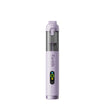









Start by checking your vehicle's manual for any surface-specific cleaning instructions, then remove loose dust before you touch a cloth to anything. Clean piano black trim and touchscreens as two separate jobs, because their approved cleaners and moisture limits are often different. The goal here is to lower your risk of scratches and swirls, not to promise a scratch-free result every time.
How to Clean Piano Black Trim and Touchscreens Without Scratches
The safest sequence removes grit first, then wipes gently with only the moisture or cleaner your vehicle or screen instructions allow. Treat the console trim and the touchscreen as separate surfaces from the first step to the last.
Remove Loose Particles Before Wiping
Visible dust or grit changes what you should do next. If you can see particles on the trim or screen, wiping first can drag them across the gloss finish and leave fine scratches behind. There's no publishable evidence that a vacuum nozzle or brush attachment is safe for direct contact with piano black trim or a touchscreen, so the safer move is a soft, dry method aimed at lifting particles rather than pressing them into the surface.
Clean Piano Black Trim With Minimal Contact
- Confirm your vehicle's instructions allow cleaning the specific trim panel with a microfiber cloth.
- Before wiping, use a soft-bristle brush to lift away dirt that could scratch the surface. This order matches Chevrolet high-gloss surface guidance, which calls for particle removal before any wiping.
- Wipe gently with a clean microfiber cloth using light, straight passes. Chevrolet's soft-bristle-brush and microfiber sequence specifically warns against window cleaners or solvents on these surfaces.
- Inspect the panel. If grit remains or the finish looks hazy, stop and repeat the brush step instead of pressing harder with the cloth.
Clean the Touchscreen as a Separate Surface
- Use a clean, soft cloth, the kind you'd use on eyeglasses, dedicated to the screen only.
- Wipe gently. If fingerprints remain and your owner's manual allows it, some systems permit a small amount of alcohol applied to the cloth rather than the screen. Ford SYNC cleaning guidance for the SYNC display never allows pouring or spraying alcohol directly onto the screen.
- Check your vehicle's own display instructions before assuming this exact rule applies. Screen coatings and manufacturer restrictions vary by vehicle, so treat this as a scoped example rather than a universal touchscreen rule.
What Should You Prepare Before Wiping?
A ready setup means a clean cloth, a way to remove particles without touching the surface directly, and only the moisture or cleaner your vehicle allows. Skipping this step is what usually turns a routine wipe into a scratch risk.
Choose the Cloth Before Choosing the Cleaner
Pick a cloth that is clean, soft, and lint-free before you think about what to put on it. A dirty or gritty cloth can scratch the surface no matter how gentle your motion is, and a cloth that's picked up static can attract more dust instead of lifting it away. Keep one cloth reserved for the touchscreen and a separate one for trim, since cross-using them can transfer cleaner residue between surfaces with different tolerances.

Control Dust Without Direct Attachment Contact
Vacuum attachments and brush nozzles can be useful around console seams, vents, and cupholders where the surface isn't glossy or sensitive. For example, vacuuming console seams with a cordless car vacuum can clear crevice dust before it migrates onto nearby trim. That's a different task from placing an attachment directly on piano black trim or a touchscreen. Even a cordless car vacuum documented for general interior detail work isn't automatically proven safe for direct contact with a delicate gloss or display surface, so keep attachments working the surrounding areas rather than the panel itself.
Limit Moisture to What the Manufacturer Allows
A permitted damp cloth is not the same as spraying or saturating a surface. Trim and touchscreen instructions can set different moisture limits, so don't assume a cleaner approved for one applies to the other. Confirm the exact product and amount your vehicle or screen instructions specify before adding any liquid at all.
Which Products and Motions Should You Avoid?
Skip any cleaner your vehicle or screen manufacturer doesn't specifically allow, and skip aggressive rubbing motions altogether. When in doubt, follow the manual instead of a general cleaning habit that worked on a different surface.
Do Not Guess at Cleaner Compatibility
A cleaner cleared for one surface in your vehicle isn't automatically cleared for another. Chevrolet's prohibition on window cleaners and solvents applies to the high-gloss surfaces and displays it covers. Separately, Ford's prohibition on detergent, solvents, and pouring or spraying alcohol applies to the SYNC touchscreen. Treat both as scoped examples and check your own vehicle's instructions before choosing a product.
- Any unapproved cleaner or solvent: Stop using it and switch to the product named in your manual.
- Rough or aggressive rubbing: Switch to light, straight passes with a clean cloth.
- Direct vacuum or brush contact on trim or screen: Keep the attachment on surrounding seams instead of the panel itself.
- Persistent grit after brushing: Stop wiping and repeat particle removal before touching the surface again.
- Cracked, peeling, or otherwise damaged material: Stop routine cleaning and have it assessed rather than wiping or polishing it.
Stop When Contact Could Worsen the Surface
If grit remains after brushing, wiping again just drags it across the panel and risks new scratches; stop and repeat the particle-removal step. If the surface is already cracked, peeling, or showing coating failure, continued cleaning or polishing can spread the damage; stop and have it looked at instead of treating it like ordinary dirt.
What Common Mistakes Make Scratches and Streaks Worse?
Most cleaning mistakes come from skipping a step rather than using the wrong product outright. Matching the symptom to the right correction keeps a small issue from becoming a bigger one.
When Dust Still Remains
If you can still feel or see grit after your first pass, don't keep wiping. Go back to the particle-removal step with a soft-bristle brush or a dry lint-free cloth before you touch the surface with any cleaner.
When the Finish Looks Streaky
Streaks or a hazy residue usually mean the cloth needs to be cleaner or drier, not that you need to press harder. Use only the manufacturer's documented clean-cloth or drying step. Adding pressure or an unverified polish risks introducing new micro-scratches instead of removing the streak.

When Marks Are Damage, Not Dirt
A scratch, crack, or peeling spot won't disappear with more wiping, because it isn't dirt. Continuing to clean or polish over it can make the damage more visible or larger. Stop routine cleaning on that spot and check with your dealer or a qualified detailer instead.
FAQs
Can I use the same cleaner on piano-black trim and the touchscreen?
Not by default. Trim and touchscreen coatings can have different cleaner restrictions even within the same vehicle. Ford's model-specific screen-cleaner and direct-liquid restrictions apply only to the SYNC display, while Chevrolet's model-specific high-gloss and display-cleaning sequence covers a different set of surfaces. Check your own vehicle's instructions for each surface separately before reusing one cleaner on both.
Should I vacuum dust directly from piano-black trim or a touchscreen?
There's no documentation showing that a vacuum nozzle or brush attachment is safe for direct contact with either surface, even when the tool is rated for general interior detail cleaning. Use the attachment on surrounding seams and vents instead, and remove particles from the trim or screen itself with a soft-bristle brush or a dry lint-free cloth.
What should I do if the surface is already scratched, cracked, or peeling?
That's damage, not removable dirt, and continued wiping or polishing can make it worse or larger. Stop treating the spot as part of your routine cleaning and have it assessed by your dealer or a qualified detailer before deciding on a repair or replacement option.
Continue reading
 Car Interior Fabric Seats: How to Deep Clean and Remove Stubborn Stains
A step-by-step approach to cleaning cloth car seats safely: vacuum first, spot-test cleaners, treat stains, control moisture, and...
Car Interior Fabric Seats: How to Deep Clean and Remove Stubborn Stains
A step-by-step approach to cleaning cloth car seats safely: vacuum first, spot-test cleaners, treat stains, control moisture, and...

Leave a comment
This site is protected by hCaptcha and the hCaptcha Privacy Policy and Terms of Service apply.