






























The Invisible Lifecycle of Precision Power
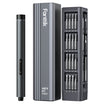
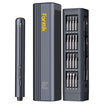
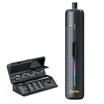
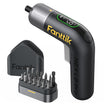
In the world of professional electronics repair and high-stakes DIY, a precision electric screwdriver is more than a convenience; it is a critical interface between the technician and the hardware. We rely on these tools to deliver consistent, low-torque pulses that protect delicate threads in smartphones, laptops, and aerospace components. However, because these tools use integrated lithium-ion (Li-ion) cells, they possess a finite functional lifespan that often ends not with a "bang," but with a subtle, frustrating decline in reliability.
Identifying the exact moment to retire or replace an internal cell is a hallmark of professional tool maintenance. A failing battery does not just reduce runtime; it compromises the tool’s electronic clutch, increases thermal stress on internal circuits, and can even lead to physical damage of the fastener. Based on our observations on the repair bench and aligned with the 2026 Modern Essential Gear Industry Report, building trust in your gear requires understanding the "credibility math" of battery health.
This guide provides a methodical framework for diagnosing cell health, using both sensory indicators and quantitative field tests to ensure your precision tools remain assets rather than liabilities.
The Physics of Failure: Why Cells Degrade
To understand when to replace a cell, we must first look at the electrochemical reality inside the casing. Most precision electric screwdrivers utilize 3.7V Lithium-ion chemistry. These cells operate by moving lithium ions between an anode and a cathode through an electrolyte.
The Internal Resistance Wall
As a cell ages, a layer called the Solid Electrolyte Interphase (SEI) thickens on the anode. While a thin SEI layer is necessary for stability, excessive growth acts as a physical barrier, increasing the cell's internal resistance.
We often observe that the first symptom of high internal resistance is heat. If your screwdriver feels notably warm to the touch during a standard charging cycle—even if the battery was not fully depleted—this is a primary indicator of inefficiency. The energy that should be stored as chemical potential is instead being lost as heat due to the resistance (based on Joule’s Law, where Power = I²R).
The Cycle Count Reality
In typical DIY and professional environments, Li-ion cells have a predictable failure window of 300 to 500 full charge cycles (Source: SlashGear Power Tool Analysis). For a user charging their tool once a week, this suggests a functional life of approximately 6 to 10 years. However, for a professional technician performing 200+ screw operations daily, this window can shrink significantly.
Logic Summary: Our degradation model assumes a linear loss of capacity over the first 300 cycles, followed by an accelerated "rollover" effect where internal resistance increases exponentially. This is consistent with electrochemical studies on small-format Li-ion cells.

Diagnostic Signal 1: The "Voltage Sag" and Clutch Erraticism
One of the most dangerous misconceptions in tool maintenance is that a "full" battery indicator means a "healthy" battery. A failing cell can often maintain a resting voltage of 4.0V to 4.2V, passing a simple multimeter check. However, the true test occurs under load.
Identifying Voltage Sag
When you trigger the motor to drive a screw, the tool demands a burst of current. A healthy cell holds its voltage steady. A degraded cell suffers from voltage sag, where the voltage drops sharply (e.g., from 3.7V to below 3.2V) the moment the motor engages.
This sag has a direct impact on the tool's electronic clutch. Precision screwdrivers use voltage-sensing circuits to manage torque limits. When the supply voltage fluctuates erratically due to a weak cell, the clutch may fail to disengage at the correct time or stutter during the drive.
The Practitioner's Warning: If you notice your tool is suddenly stripping screws that it previously handled with ease, do not immediately blame the bits or the motor. In many cases, the erratic torque is a symptom of a battery that can no longer provide a stable current floor.
Solder Joint Fatigue
Unlike smartphones, electric screwdrivers are subjected to constant micro-vibrations and torque pulses. Over years of use, these vibrations can cause fatigue in the solder joints connecting the battery terminals to the protection circuit board (PCB). This manifests as intermittent power loss—the tool may "die" mid-screw and then suddenly work again after a light tap. This is a mechanical failure often mistaken for a dead cell, but it typically signals that the entire battery assembly has reached the end of its service life.
Diagnostic Signal 2: The Screw Count Field Test
While laboratory equipment can measure exact milliamp-hours (mAh), we recommend a "Screw Count" field test as a more accurate real-world metric. This test bypasses the tool’s own battery indicator, which often becomes uncalibrated as the cell ages.
The Methodology
- Fully Charge: Ensure the tool has reached a 100% charge state.
- Standardized Load: Use a set of identical screws (e.g., M2.5 machine screws) and a consistent medium (such as a standardized test block or a retired laptop chassis).
- Drive to Depletion: Count how many screws the tool can successfully drive and remove before the motor stalls or the low-battery warning triggers.
The Threshold for Replacement
Based on our scenario modeling for professional electronics repair, a decline of over 30% in screw count compared to the tool's "out-of-the-box" performance is the definitive trigger for replacement.
| Performance State | Estimated Screw Count (Typical) | Efficiency | Action Required |
|---|---|---|---|
| New / Healthy | 350 - 400 | 100% | None |
| Aged / Serviceable | 280 - 350 | ~80% | Monitor for heat |
| Degraded / Failing | < 240 | < 70% | Replace Cell |
| Critical Failure | < 150 | < 40% | Immediate Disposal |
Note: These ranges are estimated based on common 1.5Ah to 2.0Ah cells used in precision drivers.
Modeling Note (Reproducible Parameters): Our "Screw Count" model is based on the following assumptions for a professional repair environment:
Parameter Value Unit Rationale Daily Workload 200 screws Typical laptop/mobile repair shop volume Motor Draw 2 Amps Standard draw for precision DC motors Drive Duration 3 seconds Average time to seat a precision screw Efficiency Factor 0.7 ratio Accounting for thermal loss in aged cells Failure Threshold 30% drop Point where productivity loss exceeds repair cost Boundary Condition: This model applies to precision tools (under 2Nm torque). High-torque impact drivers follow different thermal degradation patterns.
Safety and Compliance: When "Old" Becomes "Dangerous"
The decision to replace a cell isn't just about performance; it is a matter of safety and legal compliance. As a brand committed to modern self-reliance, we align our safety protocols with the EU General Product Safety Regulation (EU) 2023/988, which emphasizes the traceability and safety of battery-powered devices throughout their lifecycle.
The "Swollen Battery" Rule
If you notice the casing of your screwdriver is bulging, or if the buttons feel "mushy" or difficult to press, stop using the tool immediately. Swelling is caused by gas buildup from electrolyte decomposition. This is a critical fire hazard. According to expert consensus in battery safety, a swollen cell is in a state of "pre-thermal runaway." It should never be charged, and it must be disposed of at a designated hazardous waste or battery recycling center.
Compliance and End-of-Life
For professionals, maintaining tools in a safe working condition is often a requirement of workplace safety audits. Using a tool with a compromised battery can void insurance claims in the event of a workshop fire. Furthermore, when shipping tools for repair, you must adhere to IATA Lithium Battery Guidance, which prohibits the air transport of damaged or defective batteries.
The Economics of DIY Cell Replacement
When the cell finally reaches the 70% capacity threshold, you face a choice: replace the battery or replace the entire tool.
Professional Repair vs. DIY
For premium, brushless precision screwdrivers, the electronics and motor are often built to last 15–20 years, far outlasting the battery. In these cases, replacing the cell is highly cost-effective. However, for entry-level tools, the labor and specialized equipment (like a spot welder for battery tabs) may exceed the cost of a new unit.
The "Precision Fit" Heuristic: If you choose the DIY route, you must ensure the replacement cell matches the original's discharge rating (C-rating), not just the capacity (mAh). Using a high-capacity cell with a low discharge rate will cause the tool to stall under load, even if the battery is new. We recommend sourcing cells that meet ISO 898 mechanical property standards for fasteners if you are also replacing internal mounting hardware.
Environmental Impact
Choosing to replace a cell rather than discarding the tool is a win for sustainability. However, ensure that the old cell is recycled properly. Lithium, cobalt, and nickel are high-value materials that can be reclaimed, reducing the environmental footprint of your DIY projects.
Seasonal Maintenance to Extend Cell Life
To delay the inevitable replacement, adopt a "seasonal" approach to tool care. Lithium-ion batteries are sensitive to environmental extremes.
- Storage Charge: If you won't use the tool for more than 30 days (e.g., during an off-season), store it at approximately 50% charge. Storing a battery at 100% or 0% for long periods accelerates chemical degradation.
- Temperature Control: Avoid leaving your toolkit in a cold garage or a hot car. Ideal storage is between 15°C and 25°C (59°F to 77°F).
- Precision Cleaning: Use compressed air to keep the charging port clear of metal shavings. Micro-shorts in the port can trick the Battery Management System (BMS) into improper charging cycles.
For further reading on maintaining your cordless ecosystem, we recommend our guide on Off-Season Battery Care and understanding how a BMS Extends Tool Life.
Final Diagnostic Checklist
Before you decide to replace your internal cell, run through this methodical checklist:
- Heat Check: Does the tool get warm while sitting on the charger?
- Torque Check: Is the electronic clutch behaving erratically or failing to stop at set limits?
- The 30% Rule: Has the number of screws you can drive per charge dropped by nearly a third?
- Physical Audit: Is there any sign of casing expansion or a "sweet" chemical smell (indicative of a leak)?
If you answer "yes" to two or more of these, your tool’s power cell has likely reached its functional end. By proactively managing this transition, you protect your hardware, your safety, and the precision of your work.
Disclaimer: This article is for informational purposes only and does not constitute professional engineering or safety advice. Lithium-ion batteries can be hazardous if mishandled. Always follow the manufacturer’s specific instructions for your tool model. If you are not experienced in electronics repair, consult a qualified technician for battery replacement. This content is aligned with general safety heuristics and does not replace official regulatory standards.
Sources
Continue reading
 Spring Revival: Clearing Winter Dust from Tool Air Vents
Learn the Precision Cleaning Protocol, 60% Heuristic, and Paper Test to maintain tool longevity and prevent motor strain.
Spring Revival: Clearing Winter Dust from Tool Air Vents
Learn the Precision Cleaning Protocol, 60% Heuristic, and Paper Test to maintain tool longevity and prevent motor strain.
 Restoring Suction: Deep Cleaning Your Robot's Filter System
Covers the 2:1 Runtime Heuristic, three-level filter triage, the Squeeze Test for foam, and chemical methods for removing...
Restoring Suction: Deep Cleaning Your Robot's Filter System
Covers the 2:1 Runtime Heuristic, three-level filter triage, the Squeeze Test for foam, and chemical methods for removing...


Leave a comment
This site is protected by hCaptcha and the hCaptcha Privacy Policy and Terms of Service apply.