































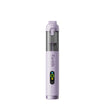











Choose a cordless rotary tool by starting with your project and the accessories you plan to use, not the biggest RPM number on the box. Look for three things: speed settings that reach the range your task needs, power and runtime figures that say how they were measured, and a collet that matches your accessory shanks.
Some specific jobs have published speed guidance. Felt polishing is one example. No single RPM cutoff covers every material, so the sections below show how to read each spec against the work you actually plan to do.
Key Takeaways
- Write down your tasks and accessories before you compare spec sheets. Each spec only matters in relation to that list.
- A maximum RPM is the top of the speed range. It is not a recommended setting, and it doesn't tell you how the tool performs while it's cutting.
- Battery capacity and runtime are separate numbers. Neither one tells you how a tool holds up under your workload unless the test conditions are listed.
- An accessory fits only when its shank size matches a collet the exact model supports.
How Do You Match Speed to the Project?
Match the speed range in the tool's documentation to the job, because the right speed depends on the task and the accessory. The top RPM matters less than whether the range covers what your project needs.
Separate Speed Control From Maximum RPM
Speed control and maximum RPM are two different facts. A speed-control spec, such as "5-speed adjustable" or "variable speed," tells you how many steps you get and whether you can change speed while you work. A maximum RPM tells you the highest speed the tool can reach. It doesn't tell you where the lowest setting sits.
That gap matters when you buy. A listing with five settings and a high maximum might still start higher than a delicate job needs. Before you commit, look for the RPM at each setting or the low end of the range in the tool's documentation. If neither is listed, you can't confirm the tool covers a low-speed task.
Use Task-Specific Guidance, Not a Universal Cutoff
Published guidance gives speed cues for a few named jobs. USU's Dremel instructions say felt polishing accessories usually work best at 15,000 RPM or less. They say higher speeds suit carving, cutting, routing, and shaping wood. They also suggest choosing the speed for each job on a practice piece of material.
For carving, Home Depot's guide says to start low and work up toward medium. It treats smoke or discoloration as a sign the speed is too high. That guide gives no RPM number, so use it as a carving cue only.

Plastics react to heat in their own way. Our guide to polishing acrylic with a rotary tool covers low-to-moderate speed and how to spot heat before the surface melts. Here's how this changes what you buy: if felt polishing is on your list, look for a documented setting at or below 15,000 RPM. If wood carving or cutting is your main job, you want room above that setting.
Which Power Specs Matter Beyond RPM?
The useful power specs are the ones that describe the tool while it works: loaded performance and runtime with stated conditions. A headline RPM or battery number alone can't tell you whether cordless rotary tools will keep up with your workload.
Separate No-Load RPM From Performance Under Load
No-load RPM is measured with the accessory spinning freely, with nothing touching it. Performance under load is how the tool behaves once the bit presses into wood, metal, or plastic. A published maximum is a no-load ceiling. It doesn't tell you what speed the tool holds during a cut or a grind.
For occasional light detail work, a documented speed range may be enough to make your shortlist. For longer or tougher jobs, look for documentation that describes loaded performance and the test conditions behind it. If you want the electrical background, our explainer on battery voltage fluctuations in cordless tools covers voltage sag and how it affects torque consistency.
Read Battery and Runtime Claims Separately
Battery capacity, listed in mAh, is how much charge the pack stores. Runtime, listed in minutes, is how long the tool runs. Treat them as two separate specs and don't try to work one out from the other. For example, our F2 Pro cordless rotary tool lists a 3000mAh battery and 20–120 minutes of use.
When runtime is given as a range, the two ends describe different conditions. If you expect long sessions, use the low end for planning until you know which workload each end describes. Comparing runtime across tools is only fair when the stated workloads match.
Will the Collet Fit Your Accessories?
An accessory fits only when its shank diameter matches a collet that the exact tool model supports. The same Dremel instructions say to match the collet to the accessory shank and never force a larger shank into a collet.
Collet size isn't the same across tools, even within one brand. Our F2 Pro lists a 1/8-inch collet, while our F2 Master Kit rotary tool lists a 3/32-inch (2.3 mm) collet. An accessory that fits one model won't automatically fit the other. Run this check for every accessory you already own or plan to buy:

- Find each accessory's shank size on its packaging or in the maker's documentation.
- Find the collet size for the exact model you're considering, plus any alternate collet or adapter its documentation names for that model.
- Compare the two sizes. If they match, the accessory fits. If they differ, it fits only through a collet or adapter documented for that model. If either size is unknown, don't count that accessory as usable yet.
When Is Another Tool Category a Better Fit?
A rotary tool makes sense when the work is small and runs on accessories. Home Depot's guide lists rotary tool uses such as grinding, sanding, honing, and polishing. When the job grows past that, compare another category on its own terms:
- Furniture panels, corners, and trim: our detail sander buying guide points to a detail sander for tight corners and trim and a random-orbit sander for broad panels.
- Drilling holes, grinding stock, or cutting boards: compare drills, grinders, or saws by their own specs and accessories. A rotary tool's RPM, battery, and collet figures don't carry over to those categories.
- Engraving, detail polishing, and small accessory work: stay with cordless rotary tools and use the speed, power, and collet checks above.
The selection rule is short. List your tasks and accessories. Then confirm that the exact model's documentation covers your speed range, gives runtime with stated conditions, and names a collet that matches every shank you plan to use. Wherever one of those details is missing, that's the document to get before you buy.
FAQs
Does Maximum RPM Tell You the Speed Under Load?
No. Maximum RPM is the top speed with the accessory spinning freely. The tool's actual working speed depends on the material, the accessory, and how hard you press. To compare tools for demanding work, look for loaded performance data with test conditions. Once you have the tool, choose your working speed on a practice piece of the same material.
Does Battery Capacity Tell You Runtime for Your Task?
Not by itself. Capacity in mAh tells you how much charge the pack holds, but how fast a task uses that charge depends on the workload. Look for a runtime figure that comes with a described workload. If a listing gives a wide runtime range, plan around the low end for long or heavy sessions.
Can an Adapter Make a Different Shank Size Compatible?
Only when the documentation for that exact tool names the adapter or alternate collet and the shank size it accepts. An adapter made for a different model or brand doesn't confirm fit. If no documented option exists, treat the accessory as incompatible and never force it into the collet.
Is More Speed Settings Better for Crafts?
Not necessarily. The number of settings matters less than where they sit. A tool with fewer steps can still suit your project if its documented speeds cover the low end for polishing and the higher end for carving or cutting. Compare the RPM at each setting, not just how many settings there are.
Continue reading
 How to Use a Heat Gun for Heat Shrink Tubing: Safe Wiring Insulation Techniques
A step-by-step guide to shrinking tubing over disconnected wiring, with product-specific stop signs, datasheet limits, and what to...
How to Use a Heat Gun for Heat Shrink Tubing: Safe Wiring Insulation Techniques
A step-by-step guide to shrinking tubing over disconnected wiring, with product-specific stop signs, datasheet limits, and what to...
 Detail Sander Grit Guide: When to Use 80, 120, 180, and 240 Grit Sandpaper
Learn which furniture surfaces call for 80 or 120 grit, why 180 is one finish-specific stopping point, and...
Detail Sander Grit Guide: When to Use 80, 120, 180, and 240 Grit Sandpaper
Learn which furniture surfaces call for 80 or 120 grit, why 180 is one finish-specific stopping point, and...

Leave a comment
This site is protected by hCaptcha and the hCaptcha Privacy Policy and Terms of Service apply.