












































To use precision electric drivers on laptop and console screws with less risk of stripping, start from the service guide for your exact device. Use the driver tip that guide lists, make sure the bit fits the screw head before you start the motor, and set torque from your driver's own manual. No published torque or speed setting covers every laptop or console, so any number on your driver is a reference for that tool only.
If the guide doesn't cover your model, the bit won't seat in the head, or you're unsure about the repair, stop before you drive anything under power. Nothing removes stripping risk completely. These steps target the setup choices you can actually control.

How to Use a Precision Electric Driver Without Stripping Screws
When setting up tools like the Fanttik E2 MAX Precision Electric Screwdriver, work through this order for each repair. Each step depends on the one before it.
- Pull the tip size from the device's service guide. Don't guess from how the screw looks. A manufacturer guide names the driver it expects for that repair, and the next section shows what to look for in one.
- Confirm the bit fits the head. Tool maker Mountz states it plainly in its guide to electric screwdrivers for electronics: make sure the bit fits the head of the fastener. The bit should seat fully in the recess. If it sits loose or rides on top, don't press the trigger. Look for a better-fitting bit first. A bit that has worn down can fail this check even when the size is right, so it helps to know the signs for spotting worn precision bits.
- Learn how your driver starts. Drivers don't all start the same way. The same Mountz guide says its push-to-start models run when you put light downward pressure on the nose. Other drivers use a button or trigger. Know which kind you have before the bit touches a screw, so the motor doesn't start before you expect it.
- Set torque with your driver's own control. The control varies by model. On some Mountz drivers you turn a torque adjustment nut, and the maker says to confirm the setting on a torque-testing system. You can read more about torque settings for sensitive electronics as background. The dial still belongs to one specific tool.
- Read the torque scale as a reference, not a promise. Mountz's EF-Series operating instructions say torque output can change with friction, the type of joint, and materials such as a washer. Those instructions call the torque charts guidelines. A setting that feels right on one screw can behave differently on the next.

Powered torque and manual torque are separate numbers. A driver's maximum torque rating tells you what the motor can deliver. It doesn't tell you the right torque for a laptop or console screw. If you're still learning how precision electric screwdrivers differ from general cordless drivers, keep that difference in mind. Settings for drills, impact drivers, and cordless screwdrivers don't carry over to precision work.
What to Check in the Device's Service Guide
A model-specific service guide tells you which tips to have ready and whether your unit is covered at all. Get these details from the guide before the first screw comes out:
- Supported models. Check the model number and any serial-number rule.
- Listed drivers. Note the tip type and size for each step.
- Repair steps. Follow the order in which screws and parts come out.
- Do-not-proceed conditions. Find the point where the maker tells you to stop or get service.
For laptops, Microsoft gives one concrete route. It says service guides for supported Surface devices cover repair steps and list the tools needed, and it advises reviewing the guide for your specific model. That route is for Surface only. Other laptops need their own maker's documentation. A MacBook, for example, uses different fasteners, as in this rundown of MacBook Pro Torx and pentalobe screws.
For consoles, the Xbox Series S service guide supports Model 1883 units with a 14-digit serial number. It lists T8 and T10 drivers. The guide names tip sizes, not whether to drive them by hand or under power. That choice rests on your driver's manual and the fit check above. The console guide also doesn't cover the controller, which is a separate repair with its own fasteners, like the ones in this Xbox controller stick drift repair.
When to Switch to a Manual Driver or Stop
Stop when the device maker says to stop, and don't drive under power when the bit doesn't fit. The Xbox Series S guide is direct about this: if at any point you are unsure or uncomfortable doing the repair as the guide describes it, do not proceed. For readers who lack the required tools, repair support, or skills, Microsoft points to its service options instead.
These conditions change your next move:
- Your unit isn't a supported model. A Series S with a 12-digit serial number falls outside that guide. Don't use its steps as a stand-in. Use the service route instead.
- The guide calls for a hand tool. Follow the exact device instruction over your driver's convenience.
- The listed tip is missing, or the bit won't seat. Pause the repair until you have a bit that fits the head. Forcing the wrong tip under power works against the one check every step depends on.
- You're unsure partway through. Stop there and use the maker's service option rather than finishing on guesswork.
A manual driver gives you slower, more direct control. It won't repair a head that's already damaged, though. Treat a damaged fastener as its own problem, not as a reason to keep turning.
FAQs
Where do I find the repair guide for my Surface laptop?
Microsoft keeps a Surface self-repair information page with service guides for supported devices. Pick the guide that matches your exact model. It covers the repair steps and lists the tools you need, so you can gather the right bits before you open the case.
Is the torque number on my electric driver exact?
Not always. For its EF-Series drivers, Mountz calls its torque charts guidelines. It says output changes with friction, joint type, and materials, and it tells users to check the setting with a torque-testing system. Treat your own driver's scale the same way unless its manual says otherwise.
What if my Xbox Series S has a 12-digit serial number?
Microsoft's Series S service guide says units with a 12-digit serial number are not supported. Its steps and tool list apply to Model 1883 units with a 14-digit serial. For an unsupported unit, use Microsoft's service options rather than the guide.
Can I use the settings from my drill or impact driver?
No. Drills, impact drivers, and cordless screwdrivers do different jobs than precision drivers, and their settings don't carry over. Set a precision driver using its own manual and the fastener your device guide lists.
Continue reading
 Distance Meter or Tape Measure for Measuring a Room?
A practical look at measuring room length and width with a laser distance meter or tape, including solo...
Distance Meter or Tape Measure for Measuring a Room?
A practical look at measuring room length and width with a laser distance meter or tape, including solo...
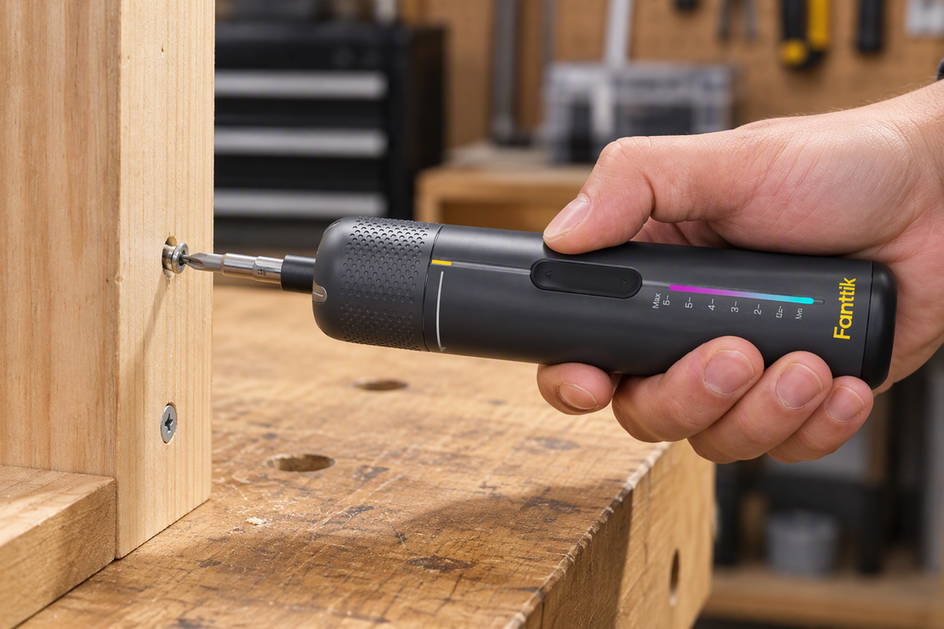 Why Does an Electric Screwdriver Slip or Strip Screws?
A symptom-led guide to electric screwdriver slipping: match and inspect the bit, seat it straight, stop at cam-out,...
Why Does an Electric Screwdriver Slip or Strip Screws?
A symptom-led guide to electric screwdriver slipping: match and inspect the bit, seat it straight, stop at cam-out,...
Leave a comment
This site is protected by hCaptcha and the hCaptcha Privacy Policy and Terms of Service apply.