








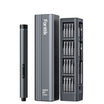


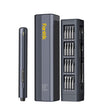
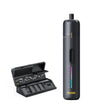

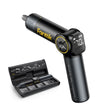
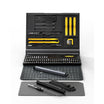
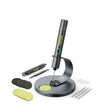
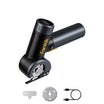

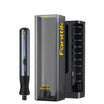
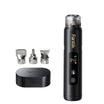

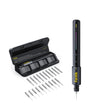

To choose the right laptop precision bit, start with your exact laptop model. Find the manufacturer's instructions for removing the bottom cover and use the screw-head profile and size listed there. Before you turn anything, make sure the bit sits all the way down in the screw head and feels snug.

Laptop screw heads vary by manufacturer and model, so no single bit fits every bottom cover. A bit that matches the profile but is the wrong size can rock in the recess. Once it rocks, it can round off a small head in just a few turns. A matching bit that is fully seated, turned with steady hand pressure, gives you the best chance of getting the cover off without damaging a screw.
Find the Screwdriver Bit for Your Exact Laptop Model
The most reliable source is the manufacturer's bottom-cover service document for your exact model. A brand name or a general product family isn't specific enough. Use this lookup order:
- Find the full model name. Check the label on the bottom of the laptop or the system information screen. Write down the full name and generation, such as "ProBook 640 G2," not just "HP ProBook." Models in the same family can use different hardware.
- Find the official bottom-cover instructions. Search the manufacturer's support site for that exact model plus "bottom cover" or "remove and replace." A service page or maintenance manual is better than a forum post or a photo of a screw that looks similar.
- Read the tool list before the steps. Service pages often name the tools in a "before you begin" section. Note both parts of the bit spec. The profile is the shape of the recess, such as Phillips. The size is the number or code, such as P1.
- Use the profile and size exactly as listed. Pick a precision bit that matches both. Don't swap to a nearby size because it seems close enough.
- Stop if the document doesn't name a bit. Don't borrow a spec from another laptop or guess from how the screw looks. Contact the manufacturer's support for your exact model or ask a qualified repair shop.
Here's what a model-specific spec looks like. For the ProBook 640 and 645 G2 notebooks, HP specifies a small P1 Phillips-head screwdriver for removing and replacing the bottom cover. HP notes that the procedure applies to all configurations of those two models. That instruction covers only those notebooks. It doesn't mean P1 Phillips is the right bit for other HP models or for laptops from other brands.
The same HP page lists other preparation steps worth following on any model that has its own guide. Turn off the computer and disconnect power, then work on a clear, flat surface. HP also recommends an anti-static wrist strap and a conductive foam pad, and it warns that self-service can cause damage that may not be covered under warranty. Read your model's version of those notes before you start, since they can affect whether you should do the job yourself.
If you're working through a mixed bit set, our screwdriver bit fit and size guide explains how precision bits differ from larger power bits. The model-specific profile and size still come from your laptop's documentation.
Check the Fit Before You Turn
Once you have a bit that matches the documented profile and size, test it before you apply any turning force. This check is practical shop advice, not a step from a manufacturer's service page:
- Seat it straight. Hold the screwdriver in line with the screw and press the bit gently into the recess. A tilted bit only touches part of the head.
- Feel for full engagement. The tip should drop all the way into the recess and feel locked in, with no gap you can see at the edges.
- Check for rocking. Wiggle the handle very lightly without turning it. A good fit has almost no side-to-side play. If the bit rocks, tips, or sits high, you have the wrong size or profile.
- Turn slowly with steady pressure. Press down enough to keep the bit seated and turn counterclockwise by hand. Small screws usually need little force. The aim is control, not strength.
- Stop at the first slip. If the bit cams out (rides up and out of the recess) or you feel it grinding, stop. Go back to the documentation and re-identify the profile and size before you try again.
No universal torque value applies to laptop bottom-cover screws, and the HP instructions above don't give one. Treat "controlled torque" here as a feel: steady downward pressure, slow turning, and stopping as soon as anything feels off. When you put the cover back on, tighten each screw just until it stops turning easily. Extra force can strip the head or the threads it goes into.
Slips also happen when the tool drifts during a small, precise turn. Our article on vibration drift and bit walk explains why a bit walks off a small fastener and how to spot it early.
Keep Powered-Driver Advice Separate
All of the guidance above assumes you are using a manual precision screwdriver. Hand-turning advice and bit sizes do not translate into speed or torque settings for powered drivers, nor do they confirm that a powered tool is safe for a laptop cover. If your model's service documentation does not explicitly permit a powered tool and specify settings, stick with a hand tool.
A bit profile like P1 Phillips describes the recess shape of the screw head, not the rotational force that small fastener or its threaded housing can tolerate. Before reaching for a cordless driver, verify your laptop manufacturer's exact maintenance guidance. For a broader look at how these tool categories differ, see our comparison of an electric screwdriver vs drill.
FAQs
Is there one precision bit that fits all laptop bottom covers?
No. Laptop screw heads vary by manufacturer and model. Use the profile and size listed in your exact model's bottom-cover instructions. Even a documented spec, like HP's P1 Phillips for the ProBook 640 and 645 G2, applies only to the models it names.
What if my laptop's manual doesn't list a screwdriver bit?
Don't guess and don't borrow a spec from a similar-looking laptop. Contact the manufacturer's support with your full model name, or ask a qualified repair shop. A wrong bit can strip the head before you even notice the bad fit.
What should I do if the bit starts to slip?
Stop turning right away. Take the bit out, confirm the profile and size against your model's documentation, and repeat the fit check. Only continue when the bit sits fully in the recess without rocking.
Do phone repair bits work on laptops?
Not automatically. Phones often use different screw profiles. Our iPhone repair bit guide covers phone-specific bits, but your laptop's own service instructions decide which bit to use on its cover.
Continue reading
 Electric Scissors or Manual Scissors for Large Fabric Projects?
Choose between powered and manual cutting tools by fabric, layer count, cut shape, and repetition, not by project...
 Using an SUV Tent for an Overnight Road-Trip Stop
A practical overnight plan for SUV tents covering site rules, exact vehicle fit, gear staging, car access, and...


Leave a comment
This site is protected by hCaptcha and the hCaptcha Privacy Policy and Terms of Service apply.