








































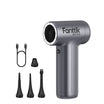


Debris stuck in a keyboard gap or a dashboard vent louver rarely comes out with suction alone. The fix is a two-stage move: blow the debris loose first, then vacuum it up immediately before it settles somewhere harder to reach. A tool that documents both blowing and vacuuming functions, rather than suction alone, makes this workflow possible in one pass.
Keyboards and car AC vents need different handling because of their geometry, so the steps below are split into two separate procedures. Finding the best car vacuum cleaner that also handles electronics comes down to documented functions and attachments, not a single headline suction number.
How the Blow-Then-Suck Method Works
Blowing loosens debris that suction can't pull out while it's still wedged in a gap, and vacuuming right after keeps that loosened material from resettling somewhere else. Treat it as a practical two-step sequence rather than a guaranteed fix for every hidden pocket of dust.
Start by directing airflow at the trapped debris to lift it out of the gap or push it toward an open edge. As soon as material is exposed or moving, switch to the vacuum nozzle and place the intake right at that opening so it captures what you just loosened. Use the smallest attachment that reaches the space without forcing it in, and change your angle or direction instead of relying on a stronger setting to make up for poor positioning.
How to Clean Keyboard Crumb Crevices
Clean a keyboard by disconnecting it, blowing debris loose in short controlled passes, and vacuuming immediately after each pass rather than trying to clear the whole keyboard with one long blast.

- Power down and disconnect the keyboard when possible. This is a conservative preparation step, not a manufacturer-verified safety rule for every keyboard, but it removes the risk of accidental keystrokes while you work.
- Position the keyboard at an angle so loosened crumbs and dust can fall away from the keys instead of settling back into the gaps.
- Attach a narrow crevice nozzle or a small brush head that can reach between the keys without prying at the key caps or blocking the airflow opening.
- Direct airflow in short, controlled left-to-right passes across the affected keys, keeping the nozzle close to the surface without pressing into it.
- Rotate the keyboard or laptop to a different angle and repeat the pass, since debris that didn't fall the first time may shift free from a new angle.
- Switch to the vacuum attachment right after each blowing pass and clear the loosened crumbs and dust before moving to the next section of keys.
For compatible MacBook and MacBook Pro keyboards, Apple documents a specific version of this technique: hold the notebook at roughly a 75-degree angle, keep the airflow source about a half-inch from the keys, work left to right, then rotate the notebook onto each side and repeat the pass. That controlled-airflow keyboard procedure is scoped to those models, so treat the exact angle and distance as guidance for that keyboard family rather than a universal setting for every keyboard.
How to Clean Car AC Vents Without Driving Debris Deeper
Clean a dashboard AC vent by aiming airflow across the visible opening, never forcing the nozzle into the duct, and keeping the vacuum positioned right at that opening as dust comes loose.
- Clear loose surface dust and debris from around the vent housing before you start on the louvers themselves.
- Attach a narrow nozzle or a flexible hose extension that can reach close to the opening without pressing against the louvers.
- Aim airflow across the accessible face of the vent, working along the louver lines rather than pushing straight into the channel behind them.
- Hold the vacuum intake at or just outside the opening while you blow, so loosened dust has somewhere to go instead of drifting back in.
- Work through each louver section the same way, pausing to vacuum after every short blowing pass rather than blowing the whole vent at once.
- Stop once the nozzle would need to go past the visible louvers to reach more debris. Forcing an attachment deeper into the duct risks pushing material further in instead of removing it, and this method does not replace a full HVAC service for buildup that's already inside the ductwork.
What to Check in a 2-in-1 Blower Vacuum Tool
A tool fits both jobs only if it documents actual blowing and vacuuming functions with attachments that reach narrow spaces, not just a high suction number. Check these points before assuming a general-purpose vacuum can do the job.
- Dual function, documented: The product listing should explicitly state both blowing and vacuuming, not just vacuuming with optional accessories. A vacuum-only tool can't perform the loosen-then-capture sequence at all.
- Narrow-access attachments: Look for a crevice nozzle, flexible hose, or small brush built for gaps and openings, since a wide nozzle can't reach between keys or into vent louvers without contact.
- Suction, kept separate from runtime: A high suction figure says nothing about how long you can run the tool per session, so check both numbers independently.
- Filtration, kept separate from suction: A stated dust-capture rating tells you what the filter is designed to hold, not how well the tool cleans a given surface.
- Realistic session length: Short jobs like a keyboard or a set of vents don't need long runtime, but check the shorter high-power mode's duration if you plan to use stronger suction.
Our Slim V8 APEX is built as a 4-in-1 mini vacuum, and it ships with a crevice nozzle, a flexible hose, a push-in brush, and a long blow nozzle among its accessories, which covers the narrow-access needs of both keyboard gaps and vent louvers. It's also listed for car detailing and desktop-computer cleanup among its scenarios, which lines up with this specific two-task job.
For separately stated suction, runtime, and filtration figures, the Slim V8 APEX lists up to 45 AW/19 kPa maximum suction, up to 40 minutes of runtime in Eco Mode, up to 13 minutes in Max Mode, and a HEPA filter rated to capture 95.99% of dust and particles. None of these figures alone proves how the tool will perform on your specific keyboard or vent, but together they let you judge whether a short cleaning session fits your needs before you buy.
Protect the Electronics, Trim, and Filter
The one boundary that matters across both tasks is contact: keep the nozzle off delicate surfaces, and treat the keyboard as inactive equipment while you work on it.
- Disconnect or power down the keyboard before starting, as a conservative preparation step rather than a guaranteed safety threshold.
- Never let the nozzle rub against keys, vent louvers, or dashboard trim. If reaching more debris would require forcing the attachment against these surfaces, stop instead of pushing further.
- Empty the dust cup after each session. Filter cleaning, drying, and replacement intervals are specific to each tool model, so don't assume one universal schedule applies across different vacuums.
Before choosing your next tool, decide whether your primary problem is stuck crumbs or surface dust. If you need to dislodge wedged debris from tight crevices, prioritize dedicated blower attachments over raw suction ratings alone.

FAQs
What should I do with the filter after collecting keyboard or vent dust?
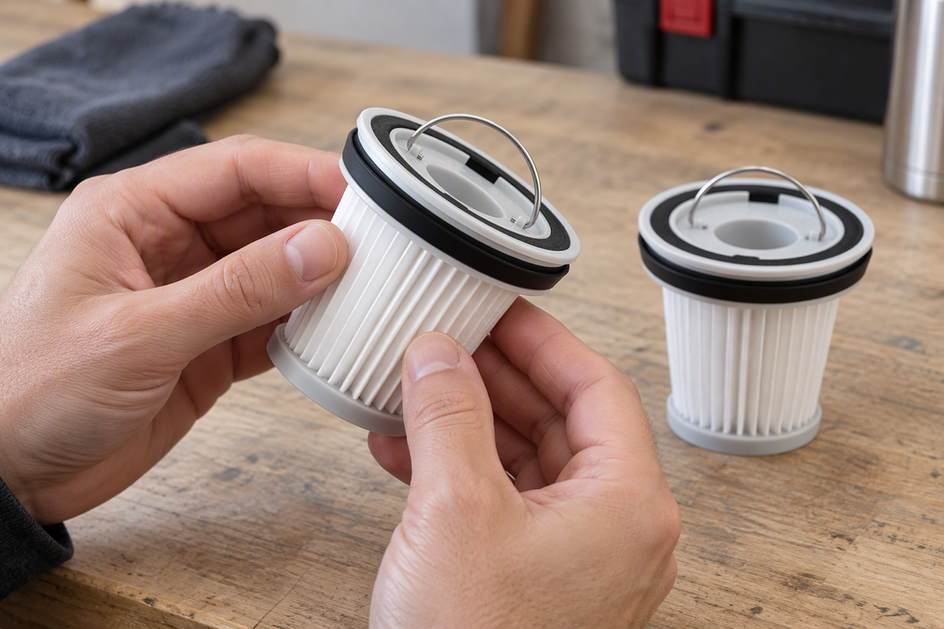
Empty the dust cup after every session; that part applies regardless of model. Filter care is different: on the Slim V8 APEX, the washable filter should be paired with its matching companion filter and reinstalled only once it's completely dry, since a damp filter can affect both airflow and filtration. This instruction is specific to that model, so check your own tool's documentation before applying the same drying step to a different vacuum or air duster.
Does the blow-then-suck method completely prevent dust from entering car AC ducts?
No, the method does not guarantee that zero debris enters the ventilation ductwork. Directing airflow across the opening and placing suction directly at the outer edge minimizes redistribution, but it cannot completely seal or remediate deeper duct buildup that requires mechanical HVAC servicing.
Can high suction alone replace the blower function for keyboard crumbs?
Suction alone often struggles to overcome the mechanical friction of crumbs wedged under keycaps or between tight louvers. Directed airflow loosens the physical pinch point first, allowing standard vacuum suction to gather the freed particles at the accessible opening.
Leave a comment
This site is protected by hCaptcha and the hCaptcha Privacy Policy and Terms of Service apply.