








































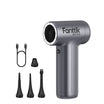



Choose a cordless soldering iron by matching its thermal behavior, not its headline number, to your actual repair workload. Start with how much heat the job demands and how often you need it, then compare heat-up time against recovery, check the battery's stated runtime conditions, and confirm the exact model's USB-C PD requirements before you charge it. A fast heat-up claim, a high maximum temperature, or a large mAh rating only tells part of the story on its own.
Start With the Workload, Not the Headline Specification
Define your repair workload before you compare any single spec sheet number. The right priority order is: match workload and thermal demand first, then compare heat-up and recovery, then temperature control, then runtime and charging.
For brief mobile repairs, put fast setup, portability, and tip compatibility ahead of everything else, as long as the tool documents enough cordless power for the joint. For repeated bench sessions, recovery, duty cycle, runtime conditions, and charging behavior matter more than how quickly the iron reaches its first temperature. For larger or sustained joints, require documented power delivery and recovery evidence for that exact workload. Without that evidence, treat a compact cordless iron as unproven for the job rather than assuming a high temperature number will cover it.
This order keeps you from overpaying for headline speed on a tool that can't sustain the actual work, or underbuying runtime for a job that's mostly short, intermittent touch-ups.
How Heat-Up Time, Heater Design, and Tip Geometry Affect Soldering
Heat-up time tells you how long you wait before the first joint; recovery tells you how the iron behaves after that. Treat them as two different checks, and let tip and heater design bridge the gap between them.
Heat-Up Time Is a Setup Metric
A short listed heat-up time simply reduces the wait before you can start working. Fanttik's own listings illustrate this as model-specific examples rather than a category standard: the Fanttik T2 Max Soldering Iron Kit lists a 5-second heat-up, while the Fanttik T1 Max Soldering Iron Kit lists about 7 seconds. Neither figure says anything about how the iron performs on the second or tenth joint.
Tip and Heater Design Control Heat Transfer
Tip geometry and size set the contact area that actually transfers heat into the joint, and an oversized or undersized tip changes that transfer regardless of how the heater is built. According to a detailed soldering guide from Techspray, choosing a tip that's too large slows heat recovery, while a tip that's too small won't provide enough surface area to transfer heat efficiently. A compatible tip paired with the iron's heater matters more than a single temperature figure on the box.
Recovery Matters After the First Joint
Recovery describes how quickly the tip regains working temperature after heat leaves it during soldering, and it's a separate measurement from initial heat-up. For repeated joints or larger connections, ask about documented recovery and sustained power rather than relying on startup speed alone. Use current product listings only to verify specifics for a specific model, not as proof that a fast-starting iron can also sustain heavy or repeated use.

How to Read Temperature Control and Stability Claims
Temperature specifications on a cordless iron cover several distinct things, and only some of them help with fine electronics work. Keep working temperature, maximum temperature, and stability claims separate before you decide what they mean for your task.
Working Temperature Is Not Maximum Temperature
A maximum temperature is an upper setting limit, not the heat that's actually reaching the joint during a repair. Read temperature range or level counts as a separate fact from tip behavior and recovery; a high ceiling doesn't guarantee the iron delivers or replenishes heat well at the joint.
What a Fluctuation Claim Can and Cannot Prove
A published fluctuation figure describes the manufacturer's own test conditions for that model. For example, the T2 Max lists PID control with fluctuations within ±5°F (±5°C), while the T1 Max lists six temperature levels spanning 390°F to 840°F (200°C to 450°C). These are different kinds of claims, and neither one, by itself, proves how the iron behaves on every tip, joint, or material.
Prioritize Control for Fine Electronics
Fine electronics work benefits most from a properly matched tip and a stable, controlled working temperature rather than the highest available setting. If your work involves small pads or sensitive components, weigh stability and tip fit ahead of the maximum temperature number.
How Battery Capacity, Runtime, and Duty Cycle Fit Together
Battery capacity tells you how much energy is stored, not how long the iron will actually solder. Compare runtime only alongside the conditions the manufacturer used to measure it.
Treat mAh as Stored Capacity, Not Work Time
A milliamp-hour rating states the battery's stated storage amount. Active runtime during soldering also depends on output power, working temperature, and how continuously you use the tool, so a capacity number alone can't be converted into a guaranteed number of working hours.
Compare Runtime Conditions
Runtime claims only mean something next to their test conditions. The T2 Max lists a 2,600 mAh 18650 battery with about one hour of runtime, and the T1 Max lists a built-in 2,600 mAh battery with roughly 60 minutes of runtime at 840°F/450°C. Both models share similar capacity, but the T1 Max figure is tied to a specific working temperature, which is the kind of detail worth checking before comparing any two irons with matching capacity ratings.
Plan Around the Actual Duty Cycle
Short, intermittent repairs can lean on portability and flexible recharging rather than maximum runtime, since idle time between joints doesn't draw down the battery the same way continuous use does. Longer bench sessions need a documented runtime reserve, evidence of recovery under repeated use, and a realistic charging plan rather than a single manufacturer runtime figure treated as a guarantee.
What USB-C PD Charging Actually Requires
A USB-C port on a soldering iron identifies the connector shape, not the charging protocol it actually uses. Confirm the exact model's accepted power profile before assuming any USB-C charger will work.
USB-C Connector Is Not Enough
USB Power Delivery is a negotiation protocol that lets a compatible charger and device agree on how much power to send, and according to the USB Implementers Forum's PD overview, it lets each device take only the power it requires rather than a fixed universal amount. A USB-C connector alone doesn't confirm that a given iron supports PD, or which power level it will accept.
Verify Input Wattage and Cable Guidance
Check the exact model's accepted voltage, current, or wattage range, along with any cable requirements, in its current manual or product listing. The T2 Max's listed USB-C PD fast charging and the T1 Max's Type-C charger or power bank compatibility are both model-specific claims; neither substitutes for confirming the other model's full charging profile, and neither should be treated as a universal cordless-iron charging standard.
Separate Charging From Wired Operating Power
A cordless iron can charge through USB-C while running at a different power level when it's plugged in and operating in wired mode. Treat charging compatibility and wired operating output as two separate specifications, since a charger that replenishes the battery correctly doesn't necessarily match the iron's corded performance.
Choose by Repair Scenario
Match your repair scenario to the specification that should carry the most weight, and treat sustained high-load work as unproven unless the exact model documents it.
| Repair scenario | Prioritize | Not a fit when |
|---|---|---|
| Brief mobile repairs | Heat-up time, portability, tip fit | Job needs sustained heat over many minutes |
| Repeated bench work | Recovery, duty cycle, runtime, charging | Runtime claim doesn't match your temperature/output needs |
| Fine electronics | Tip geometry, temperature stability | Task needs maximum heat over precision |
| Higher thermal-load work | Documented sustained power and recovery | Model has no documented recovery/power data for the load |
Use this table to pick the priority metric for your scenario, then confirm it against the exact model's current listing. Brief mobile work and fine electronics look similar on paper but call for different tradeoffs: one favors speed and portability, the other favors control. For larger or sustained joints, select a setup only when the manufacturer documents adequate power and recovery for that load; otherwise a better-supported wired or higher-power tool is the safer choice.

Verify the Exact Model Before You Buy or Use It
Pass a cordless soldering iron on your shortlist only when its current documentation covers tip compatibility, operating limits, power mode, runtime conditions, charging requirements, and protection behavior. If any of those is missing for the exact model, treat that capability as unverified rather than filling the gap with a headline number.
Keep the safety boundary proportional and specific: a hot tip can burn skin or ignite nearby materials, so keep it away from people and combustibles and follow the documented operating procedure for any electrical work. Do not use the tool outside its model-specific operating limits or on energized circuitry it isn't rated for. On the battery side, the OSHA battery safety bulletin recommends inspecting devices for damage before use and following the manufacturer's charging and maintenance instructions; stop charging or using a battery or tool that is swollen, leaking, cracked, smoking, hissing, or unusually hot, and follow the exact model's storage and maintenance guidance from there.
Check your intended joint sizes against the manufacturer's documented tip selection and recovery data before ordering. If the vendor does not publish power delivery under load or verified charging profiles, step up to a bench-proven unit with documented wattage rather than risking damaged workpieces or cold solder joints.
FAQs
Can I use any USB-C PD charger with a cordless soldering iron?
Not automatically. USB-C describes the connector, not the negotiated power level, so you need to confirm the exact iron's accepted PD profile, input wattage, and cable guidance in its current manual or product listing before relying on a charger you already own.
How should I compare runtime when two soldering irons list the same battery capacity?
Matching mAh ratings don't guarantee matching runtime. Compare the working temperature, output power, and duty cycle tied to each manufacturer's runtime claim, then size your reserve capacity to your actual session length rather than the capacity number alone.
Why can two soldering irons with the same maximum temperature perform differently?
Maximum temperature is an upper setting, not proof of how well the iron transfers or replenishes heat at the tip. Two irons with the same ceiling can still differ in tip design and recovery, so compare those factors directly instead of assuming the temperature number decides performance.
When is a cordless soldering iron not the right tool?
When a job needs sustained heat delivery over large or heavy joints and the exact model has no documented power or recovery data for that load, treat a compact cordless iron as unproven for the task. In that case, look for a corded or higher-power setup with documented sustained output instead of assuming a high temperature setting will compensate.
Leave a comment
This site is protected by hCaptcha and the hCaptcha Privacy Policy and Terms of Service apply.