































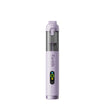












If your Fanttik C8 Nano Cordless Electric Scissors has this symptom — the rotary blade stops, chatters, turns without cutting, or traps material in the cutting path — begin with the reversible checks below. The aim is to separate charge, setup, attachment, debris, and protection-state problems without opening the product or bypassing a safety circuit.
Quick Checks First
- Release the control, switch the scissors off, and keep fingers away from the cutting edge.
- Pull material away only after all movement has stopped.
- Inspect the visible blade edge and guard for adhesive, fibers, chips, or bending.
Step-by-Step Troubleshooting
- Cut power before clearing the path. Do not hold the control while tugging trapped material.
- Remove loose fibers with a soft brush or non-metal pick used away from the blade edge and moving joint.
- Wipe adhesive residue from accessible blade surfaces with the cleaner recommended for the cut material, keeping liquid out of the motor housing.
- Test briefly with no material. Smooth rotation suggests the jam is cleared; noise, wobble, or repeated stopping suggests blade damage or misalignment.
- If replacement is needed, use the official C8 Nano rotary-blade set and follow the product instructions rather than improvising a blade size.
What the Result Usually Means
| Result | Likely area | Safe response |
|---|---|---|
| Works after cooling or clearing debris | Temporary protection or mechanical load | Resume gently and change the working condition that caused the load |
| Works only with one cable, head, bit, or accessory | Accessory or connection | Retire the faulty item and confirm an exact-model replacement |
| No response under any no-load test | Charge system, control, or internal fault | Stop repeated testing and contact support |
| Heat, odor, swelling, grinding, or liquid ingress | Potential safety fault | Switch off, isolate the product, and do not recharge or operate it |
When to Stop
Do not touch a sharp edge, defeat the guard, or open the motor housing. Replace a chipped, bent, loose, or wobbling blade before the next cut. A troubleshooting guide cannot confirm an internal electrical fault remotely. Continuing to cycle a damaged battery or stalled drive can turn a serviceable problem into a safety issue.
Prepare a Useful Support Request
Before contacting Fanttik support, record the exact model name, order details, what happened immediately before the symptom, each charging source or accessory tested, and whether the problem occurs with no load. A short video can show indicator behavior or sound without requiring you to disassemble anything.
Identify the Type of Jam Before Clearing It
Long fibers and thin sheet material can wrap around a rotary path, adhesive-backed material can coat the edge, and a hard object can chip or bend a blade. Each produces a different symptom. Wrapped material often stops rotation suddenly; adhesive can cause drag and poor cutting; a damaged blade may wobble, chatter, or leave an irregular edge even after the path is clear.
Clear material without creating a second hazard
Switch the C8 Nano off, release the control, and wait for all movement to stop. Keep fingers away from the blade edge and pull loose material away from the feed direction without twisting the guard. Use a soft brush for fibers. If residue needs cleaner, apply a small amount to a cloth rather than pouring liquid on the tool, and keep it away from the motor housing.
Use a clean no-load test
After the path is clear and dry, test briefly with no material. Smooth, centered rotation suggests the obstruction is gone. Stop for wobble, grinding, repeated stalls, or a blade that contacts the guard. Do not keep cutting to see whether the noise disappears; a damaged rotary part can worsen quickly.
Replacement boundary
Fanttik lists a dedicated replacement rotary-blade product for the C8 Nano, so use that exact-model route when the edge is chipped, bent, loose, or permanently coated. Follow the replacement instructions supplied with the blade set. Do not fit a similar-looking craft blade, defeat the guard, or open the motor housing. Record the material being cut and the failure behavior if support is needed.
FAQ
Should I keep pressing the control to see if it recovers?
No. Repeated cycling can add heat or worsen a jam. Complete one controlled no-load test after the checks, then stop if the symptom remains.
Can I use a charger or accessory from another Fanttik model?
Do not assume compatibility from the brand name. Confirm the exact model and connector or attachment on the official product page or with support.
Does a reset require opening the housing?
No user reset in this guide requires opening the product. If normal power-off, cooling, cleaning, and charging checks do not work, request service.
What if the product was wet or dropped?
Do not charge or operate it until support has assessed the damage. External drying does not prove that the internal battery or electronics are safe.
Related Support
Continue reading
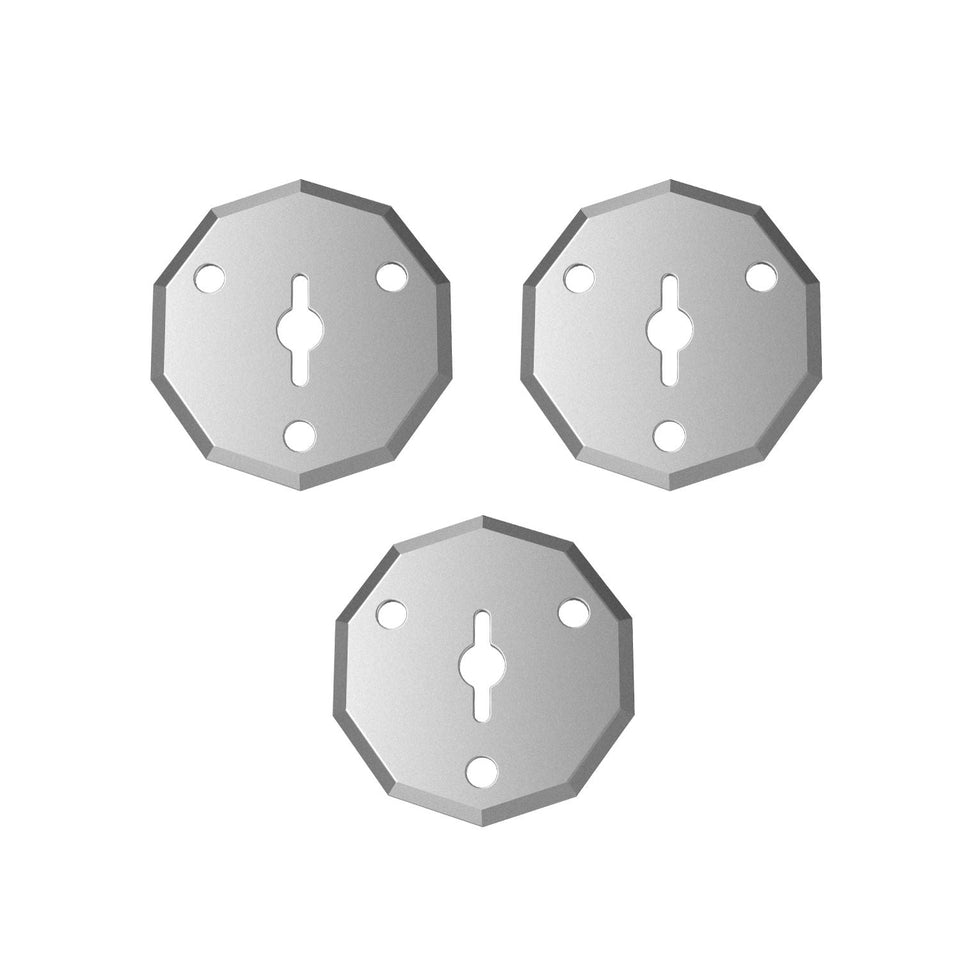 Fanttik C8 Nano Replacement Blades Guide
Confirm the genuine three-piece rotary-blade set for the Fanttik C8 Nano, identify blade wear, and follow a cautious...
Fanttik C8 Nano Replacement Blades Guide
Confirm the genuine three-piece rotary-blade set for the Fanttik C8 Nano, identify blade wear, and follow a cautious...
 Fanttik W10 APEX Replacement Chain Guide
Verify the W101 four-inch chain for the Fanttik W10 APEX Mini Chainsaw, check wear signs, and review essential...
Fanttik W10 APEX Replacement Chain Guide
Verify the W101 four-inch chain for the Fanttik W10 APEX Mini Chainsaw, check wear signs, and review essential...
Leave a comment
This site is protected by hCaptcha and the hCaptcha Privacy Policy and Terms of Service apply.